The best photo for an AI pet portrait is sharp, well lit and close enough to show the features you recognise first. You do not need a professional photoshoot. A clear phone photo with visible eyes, ears and markings is usually a much stronger starting point than a dramatic image where the face disappears into shadow. When you are ready, you can use that photo in the AI pet portrait generator and explore the style that fits it.
The one-minute test: zoom in on the face. If you can clearly see both eyes, the shape of the muzzle, the ears and the markings that make your pet distinctive, the photo is worth trying.
Seven quick checks before you upload
Start with these checks instead of searching for a technically perfect photograph. The goal is a source image that gives the generator clear, honest information about your pet.
| Check | Look for | Choose another photo when |
|---|---|---|
| Focus | Eyes and face look sharp at normal size | The face is blurred or motion-softened |
| Light | Even light reveals coat colour and texture | Deep shadow hides an eye or marking |
| Face | Eyes, nose, muzzle and ears are visible | A toy, hand or furniture covers key features |
| Markings | Distinctive patches and stripes can be seen | A filter or glare changes their colour |
| Angle | The pose looks natural and familiar | A steep angle distorts the face or body |
| Crop | There is space around important features | Ears, paws or the tail are cut unintentionally |
| Expression | The photo feels unmistakably like your pet | The image is clear but the expression feels wrong |
1. Make the face easy to read
Look at the photo at its normal size, then zoom in. The eyes and the edge of the face should remain clear. Fine fur does not have to be perfectly crisp, but motion blur across the eyes, nose or main markings removes some of the most useful visual information.

Clear features give you room to experiment
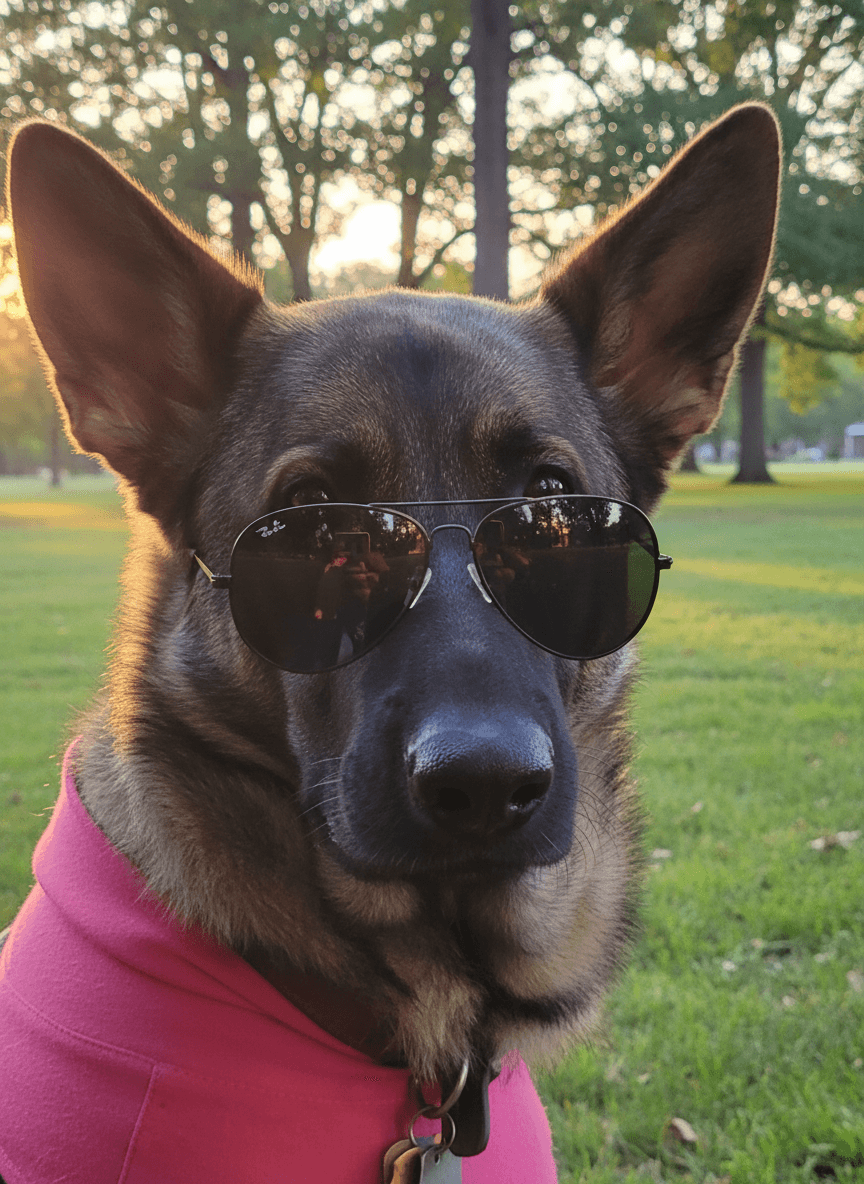
Eve fills the frame, both eyes are visible and the light shows the dark and tan areas of her coat. The background is busy, but that matters less when the pet itself is clear.
What works
- Sharp eyes and muzzle
- Both ears stay inside the frame
- Distinct coat markings are visible
Watch for
- Leave the existing background behind when choosing a new scene
See what this photo became
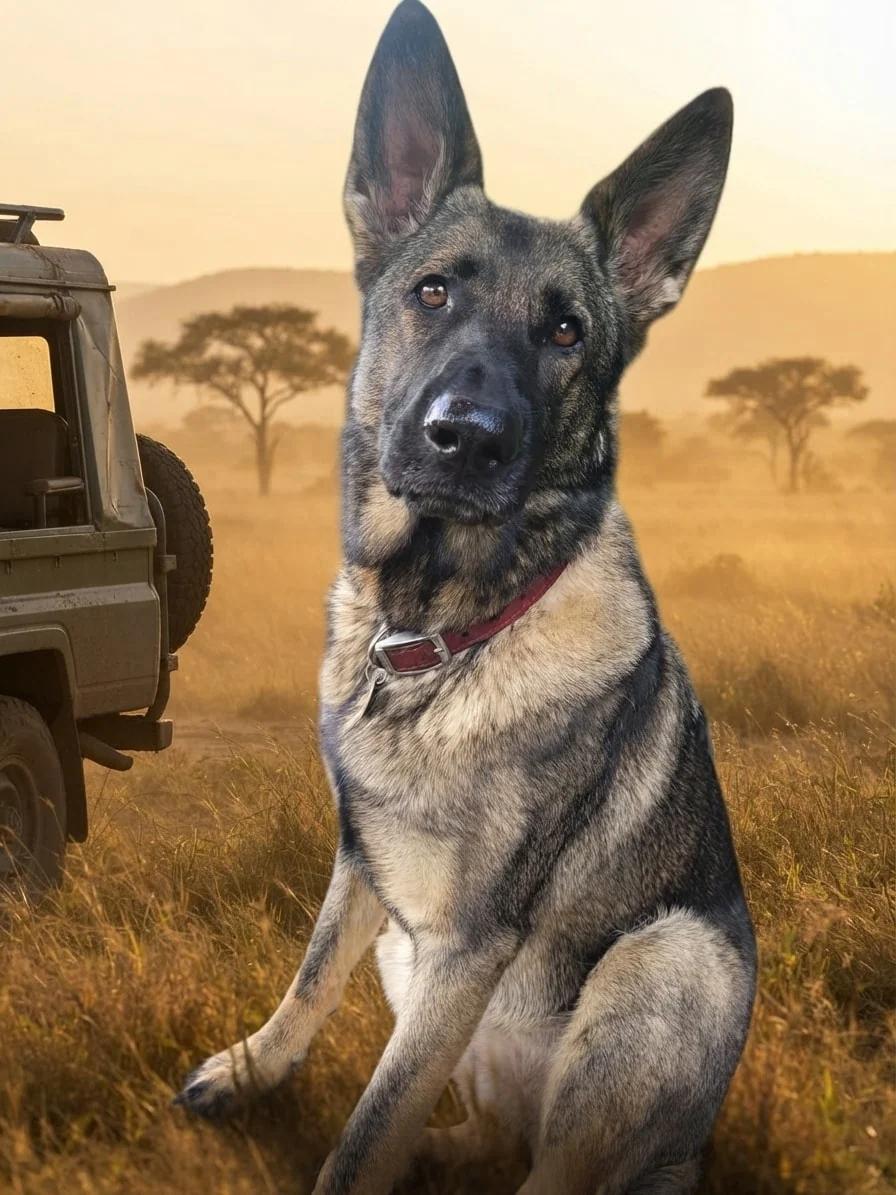
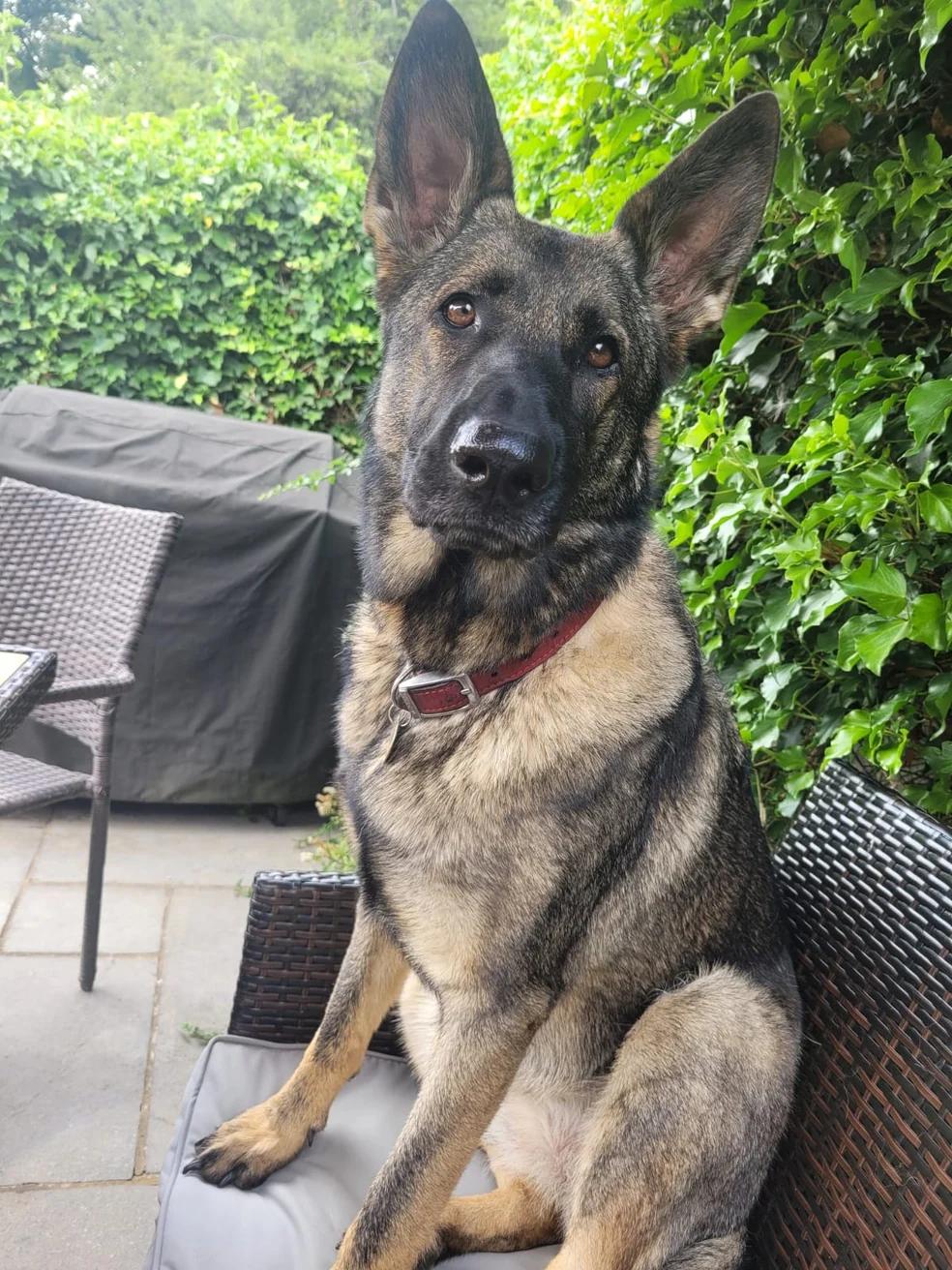
Her clear pose and markings carry naturally into a new setting while the Original style keeps the result photographic.
Creative choices
Creative Mode Off
Safari Jeep
Golden savanna grass beside a rugged safari jeep

Original
Natural background replacement
Upload a new photo or choose one of your saved pets next.
2. Keep the eyes, ears and muzzle visible
A portrait can still work from a side profile or a playful angle, but the visible features need to be clear. If one eye is hidden by deep shadow, an ear is cropped or the muzzle sits behind a toy, the final image has less information to follow.
3. Choose soft, honest light
Bright shade, an overcast garden or indirect window light usually shows coat colour without harsh highlights. Avoid direct flash, strong colour filters and backlighting that turns the face into a silhouette. For black or very pale pets, check that you can still see shape and texture rather than one flat block of colour.

An ordinary photo can still be a strong source
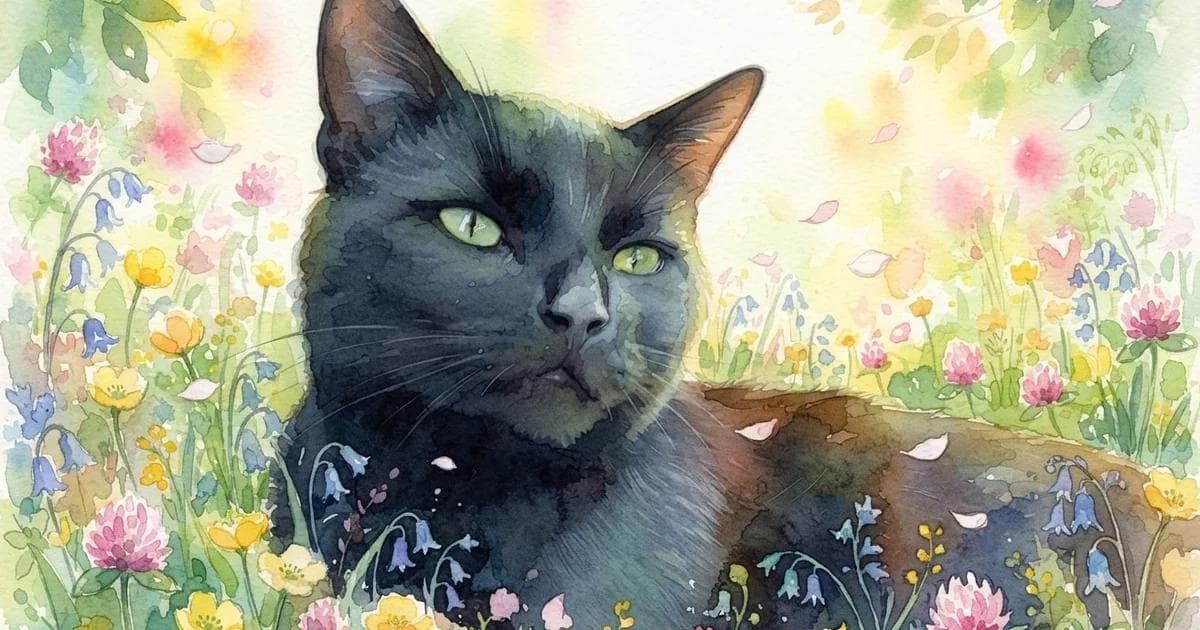
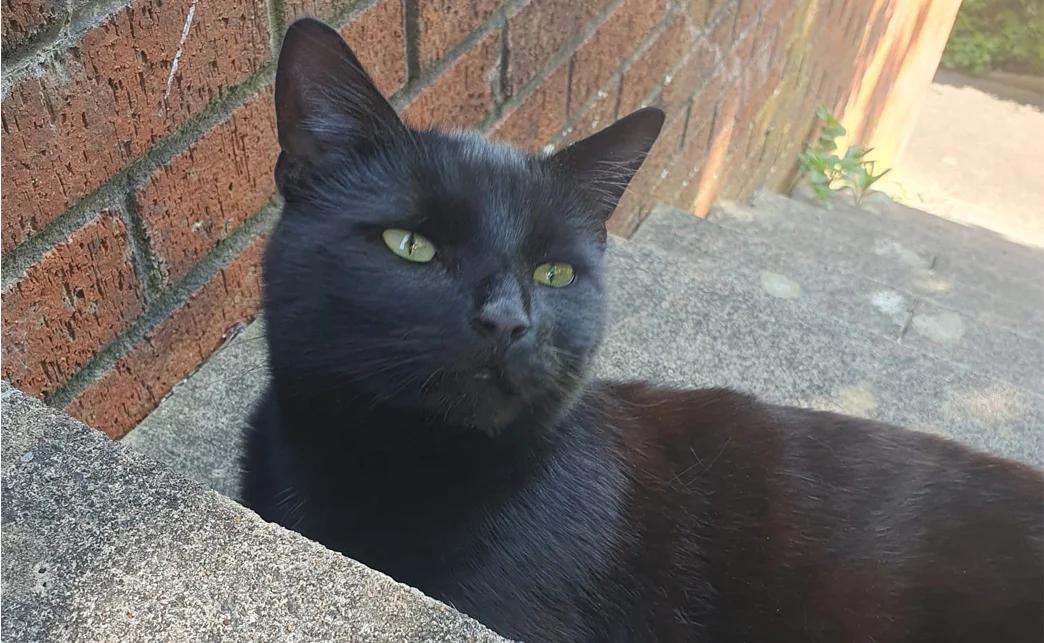
Chuck is photographed from slightly above and part of his body is behind the wall. His face, green eyes, ears and dark coat remain clear, so the image works well for a closer portrait.
What works
- Face and eye colour remain readable
- The expression feels natural
- The horizontal crop suits a head-and-shoulders result
Watch for
- Use a different photo for a full-body composition
- Dark fur needs enough light to keep its shape
See what this photo became
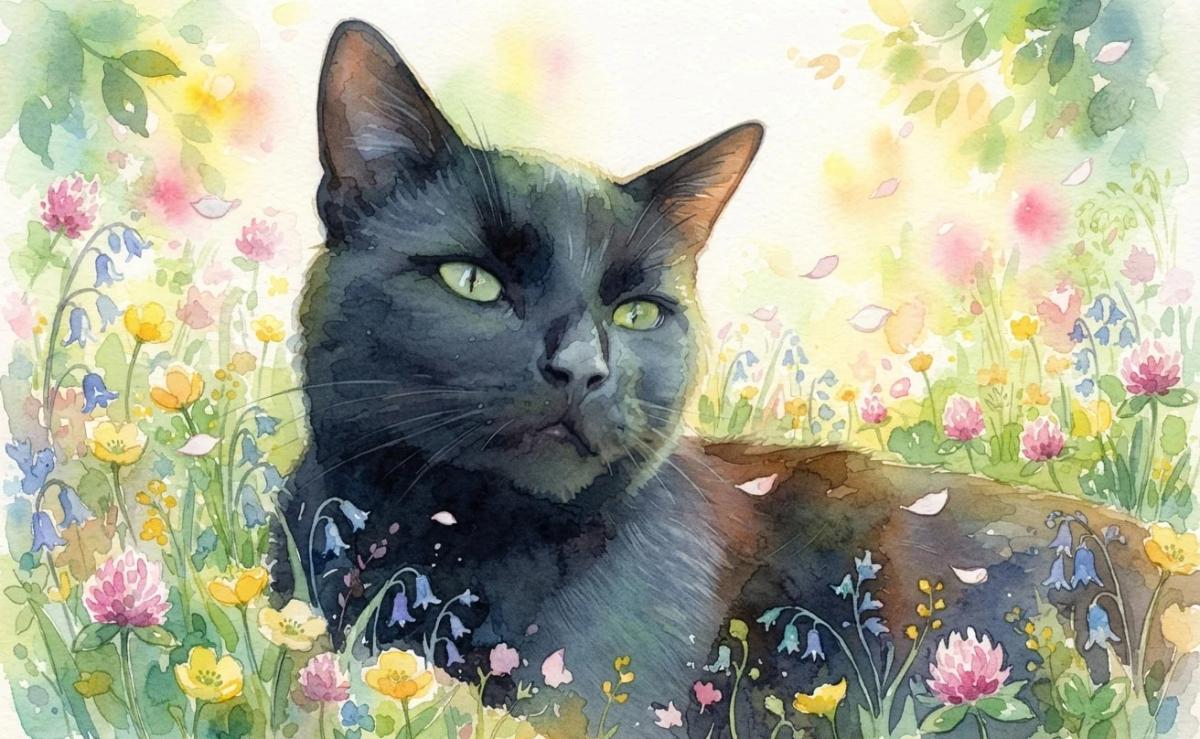
The close source crop gives the watercolor style a clear expression, eye colour and face shape to carry into the portrait.
Creative choices
Creative Mode On
Spring Meadow
Wildflowers and drifting petals in gentle spring sunshine

Watercolor
Soft artistic watercolor
Upload a new photo or choose one of your saved pets next.
4. Show the markings that make them unmistakable
Think about the details you would mention when describing your pet to someone else: a white chest patch, a dark mask, one pale paw, a stripe between the eyes or a distinctive eye colour. Choose a photo where those features are visible and not changed by a heavy filter.
5. Match the crop to the portrait you want
A close face photo is ideal for a profile image or head-and-shoulders portrait. A wider photo gives more flexibility for full-body scenes, costumes and accessories. Leave a little room around upright ears, paws and tails so the new composition does not feel cramped.
Do not reject a favourite photo only because the garden, sofa or kitchen behind your pet looks untidy. If the pet is clear, you can change the pet photo background later.
6. Check what is covering the face or body
Toys, blankets, hands, furniture and another pet can all hide features. An object that sits away from the face may be harmless. An object covering the mouth, nose, eye or a distinctive marking can make the portrait less predictable.

A favourite prop can become part of the decision
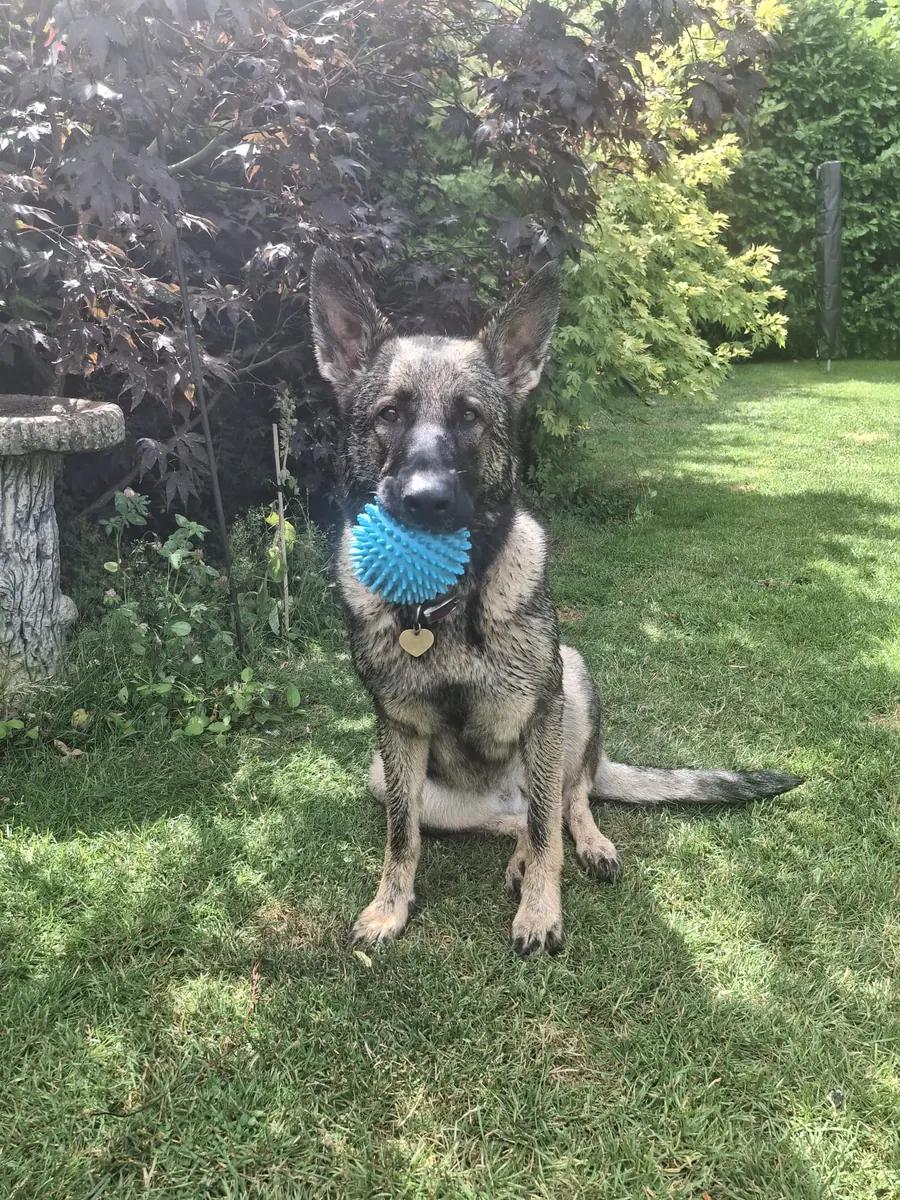
This image is bright and sharp, but the ball covers part of Eve’s muzzle. Keep it when the ball belongs in the story. Choose an unobstructed photo when you want the cleanest possible face reference.
What works
- Full body and upright ears are visible
- Coat pattern and pose are clear
- The ball captures a familiar part of her personality
Watch for
- The lower muzzle is hidden
- Removing a held object may change the mouth area
See what this photo became
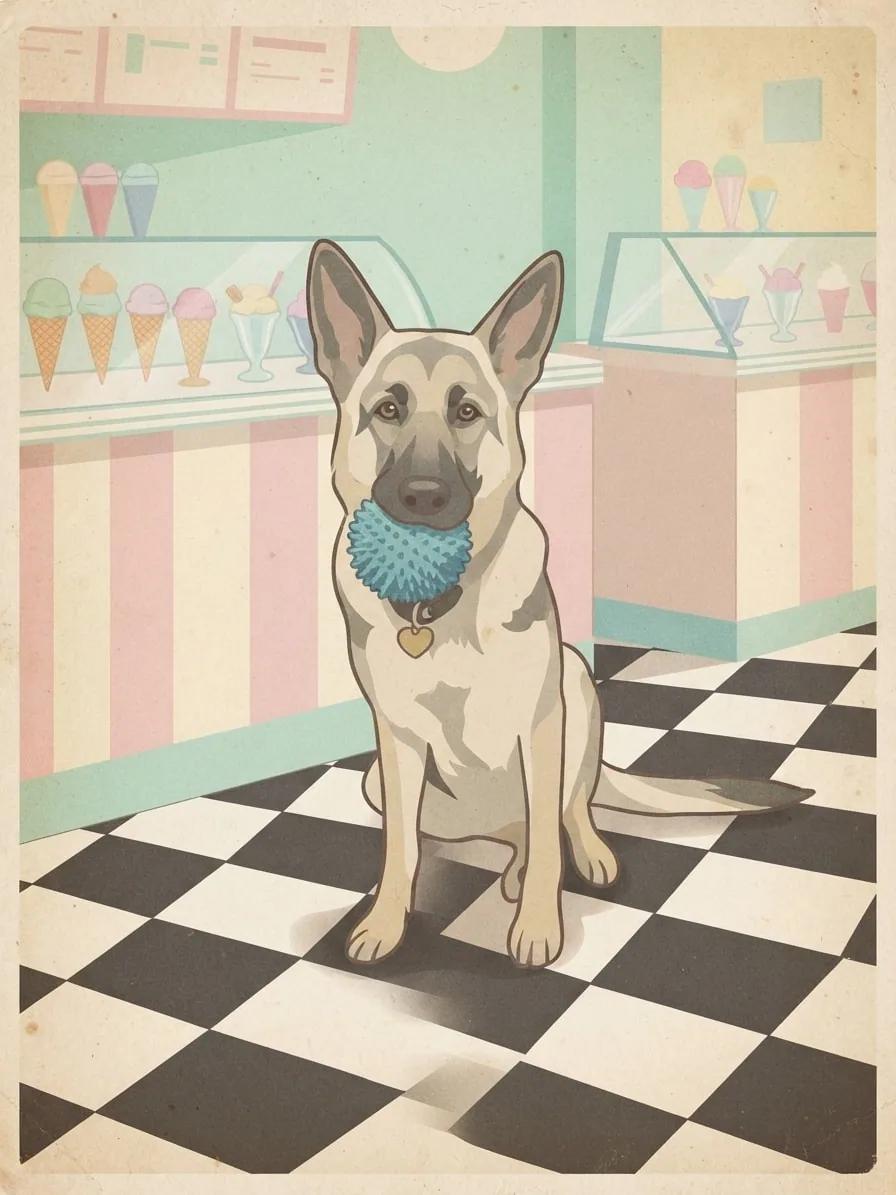
The ball remains part of the story, which works when that familiar prop is something you want the portrait to keep.
Creative choices
Creative Mode On
Ice Cream Parlor
Pastel counters and cheerful retro dessert-shop charm

Vintage Postcard
Retro travel postcard
Upload a new photo or choose one of your saved pets next.
7. Choose the expression that feels most like them
Technical quality matters, but recognition is emotional too. Between two equally clear photos, choose the one with the head tilt, bright-eyed stare, relaxed pose or serious expression that friends and family associate with your pet.
What if your favourite photo is not perfect?
Try the best original file you have before falling back to a screenshot or a copy saved from social media. If the face is still readable, the photo may be worth testing. If an eye, ear or key marking is completely missing, another image will usually give you more control.
- Use the original camera file when possible.
- Crop distracting empty space, but keep room around important features.
- Avoid sharpening, beauty filters or strong colour edits before uploading.
- Compare two source photos if you are unsure which expression works better.
Let the photo guide your style choice
A close, detailed face can carry painterly and graphic styles beautifully. A wider pose gives an adventure scene or costume more room to work. Browse the pet portrait style guide when you want to compare those directions before creating.
Your source photo also affects how much creative freedom feels right. Keep Creative Mode Off when you want the photograph to guide the pet more closely, or turn it On when you want the pet and scene rendered in one visual style. The Creative Mode guide shows both directions side by side.
Your final ten-second check
Before you upload, ask three questions: Can I see the face clearly? Can I identify the markings that matter? Does this expression feel like my pet? If the answer is yes to all three, you have a strong place to begin.
Choose a clear favourite, then explore scenes and styles that feel like them.
Turn your best photo into a portraitFrequently Asked Questions
Do I need a professional photo for an AI pet portrait?
No. A clear phone photo can be a strong source when the face is sharp, the eyes and markings are visible, and the lighting does not hide important features.
Does the background of the source photo matter?
The pet matters more than the existing background when you plan to choose a new scene. Prioritise a clear face, useful crop and visible markings over a perfectly tidy room or garden.
Can I use a photo with cropped ears or paws?
It may still work for a close portrait, but a wider composition gives the generator more information and more room for full-body scenes, accessories and flexible cropping.
What is the best photo for a black or very dark pet?
Choose soft, even light that separates the eyes, muzzle and coat texture. Avoid deep shadow that turns the face into one flat dark shape.
Can my pet hold a toy in the source photo?
Yes when you want the toy to remain part of the idea. For a cleaner face reference, choose a photo where the toy does not cover the nose, mouth or distinctive markings.
Does Creative Mode change which photo I should choose?
A clear photo helps in either mode. Creative Mode On gives the selected style more freedom to reshape texture and detail, while Off keeps the photograph as a closer visual guide.