Creating a new look for your pet should feel inspiring from the first click. We have redesigned the EditMyPet Create experience to make it more visual, easier to follow and more flexible, while keeping the controls that help you shape the final image.
A clearer, more visual way to create
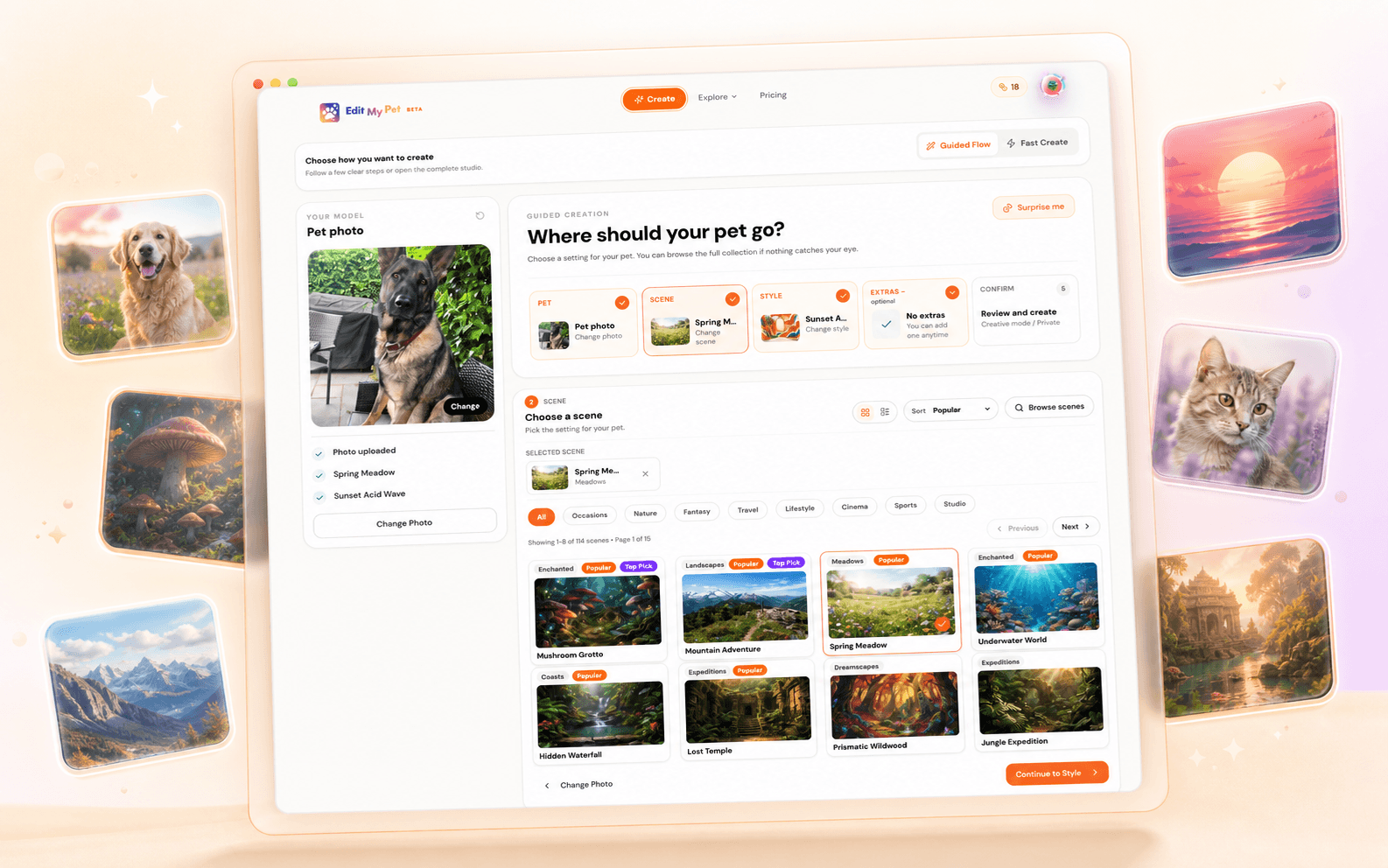
The previous Create page relied more heavily on text controls and compact selections. The new experience brings scenes, styles and accessories forward as visual cards, so you can understand the direction of an edit before choosing it. Your uploaded pet and current selections also stay visible as you move through the process.
Two ways to create
You can now choose between Guided Flow and Fast Create. Both lead to the same generation tools; the difference is how you prefer to make your choices.
Guided Flow
Guided Flow takes you through your pet photo, scene, style, optional extras and final confirmation in clear stages. A progress summary shows what you have already selected and what comes next. It is a good starting point when you want a little direction or would rather focus on one decision at a time.
- Browse scene and style thumbnails instead of relying on names alone.
- See completed steps and current selections in one summary.
- Use Surprise me when you want the site to provide some inspiration.
Fast Create
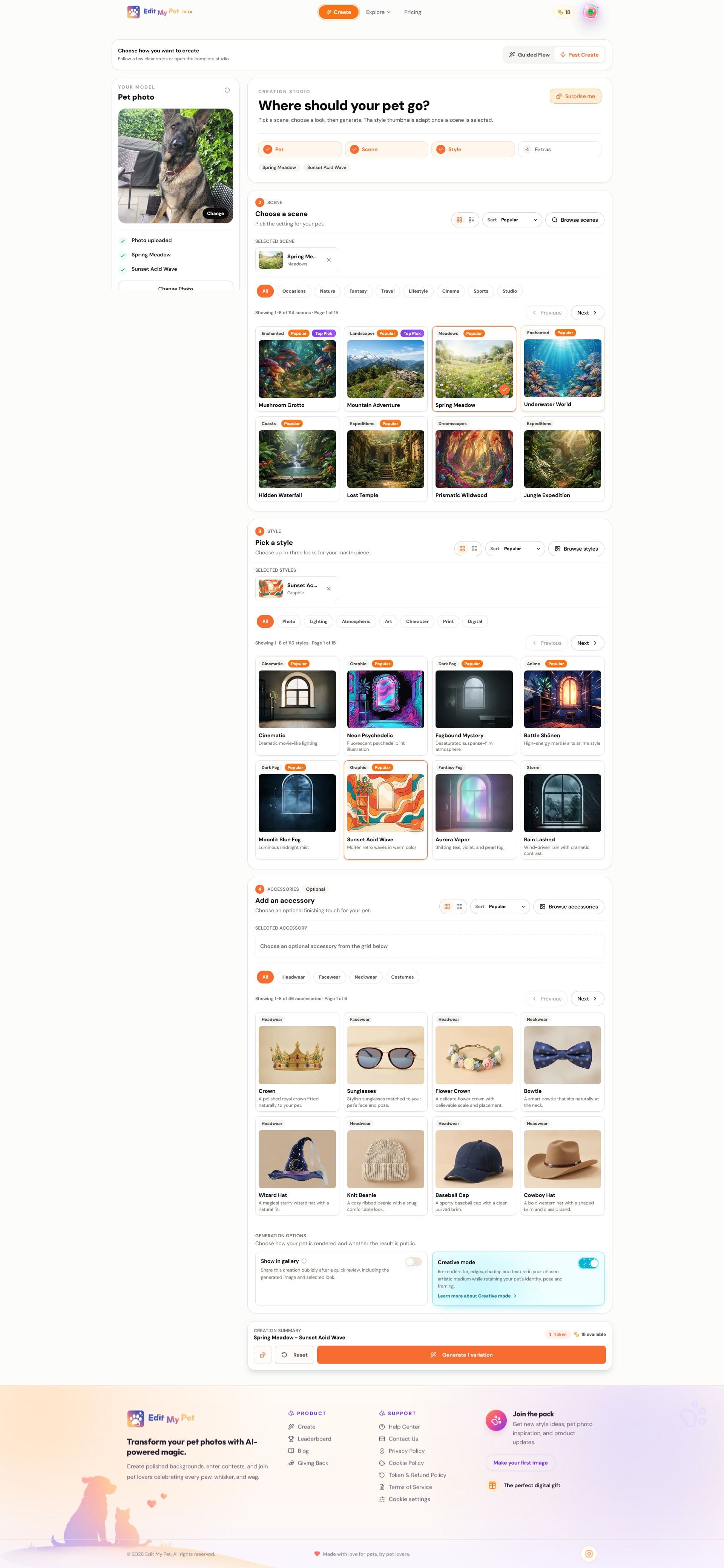
Fast Create is for people who know what they want, enjoy exploring the full catalogue or prefer to make several choices from one page. Scenes, styles, accessories and generation options remain close together, making it quicker to review combinations and create a variation.
More of the catalogue at a glance
The redesigned grids make it easier to discover the breadth of EditMyPet. Category filters, sorting, search and visual previews help you move through scenes, artistic styles and accessories without losing track of the option you selected.
Creative controls that are easier to understand
The final generation options now sit alongside the choices they affect. You can decide whether to show an image in the gallery, turn Creative Mode on when you want the selected style to influence your pet more strongly, and review the complete creation summary before generating.
Help us keep improving Create
The new experience was designed to make creative choices clearer without getting in the way of experimentation. We would love to hear which flow you prefer, what feels easier and where you still get stuck. Use the feedback link below and tell us what you think.
What feels better, and what should we improve next?
Share your feedbackFrequently Asked Questions
Should I use Guided Flow or Fast Create?
Choose Guided Flow for a step-by-step experience or Fast Create when you want the main creative choices together. Both use the same EditMyPet creation tools.
Do both Create modes include the same options?
Both modes let you choose your pet, scene, style and optional extras. They organise those choices differently so you can use the workflow that feels most comfortable.