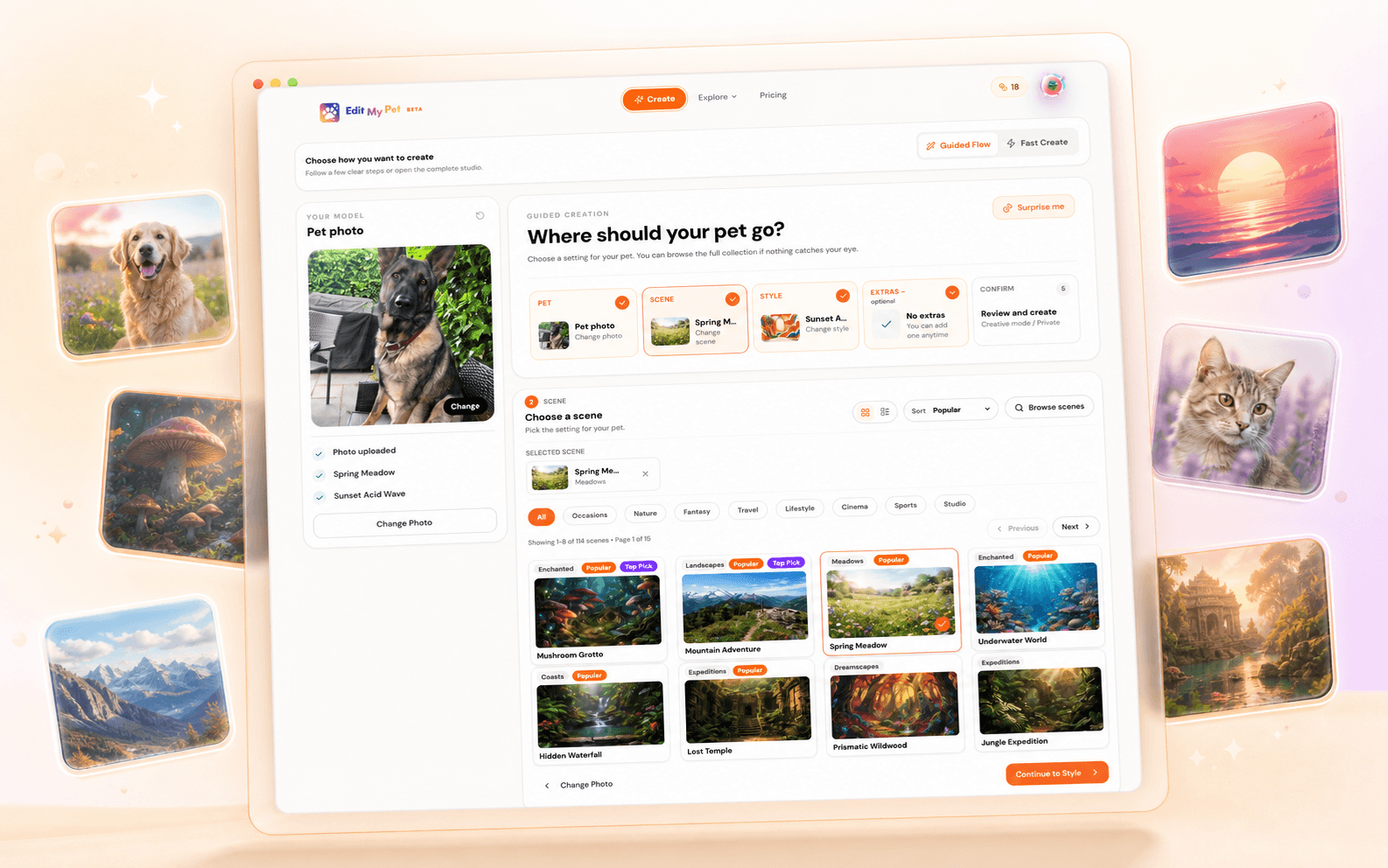
The redesign gave Create two ways to work. Guided Flow suits a first portrait when you’re still deciding on the look. Fast Create is for jumping between choices on one screen. Both replaced text-only choices with previews you can browse.
The earlier layout relied on names for scenes and styles. The new previews made it easier to tell what you were picking.
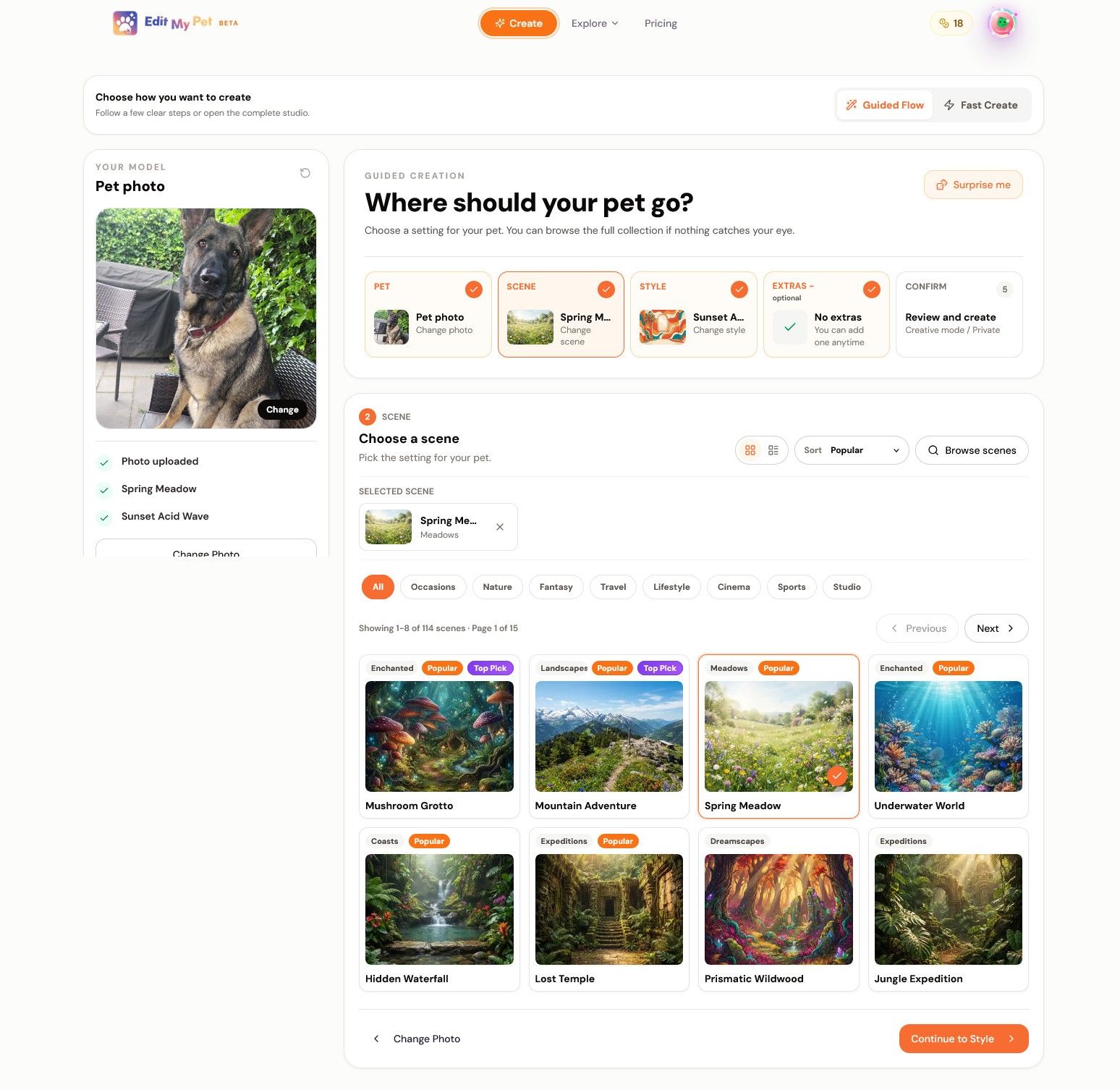
Guided Flow: one decision at a time
Guided Flow moves through the pet photo, scene, style, optional extras and confirmation. Scene and style thumbnails show the direction of the portrait, and the progress summary keeps your selected choices visible.
If you have a photo ready and no idea where to send your pet, try “Surprise me” for a starting suggestion. You can still choose the final look yourself.
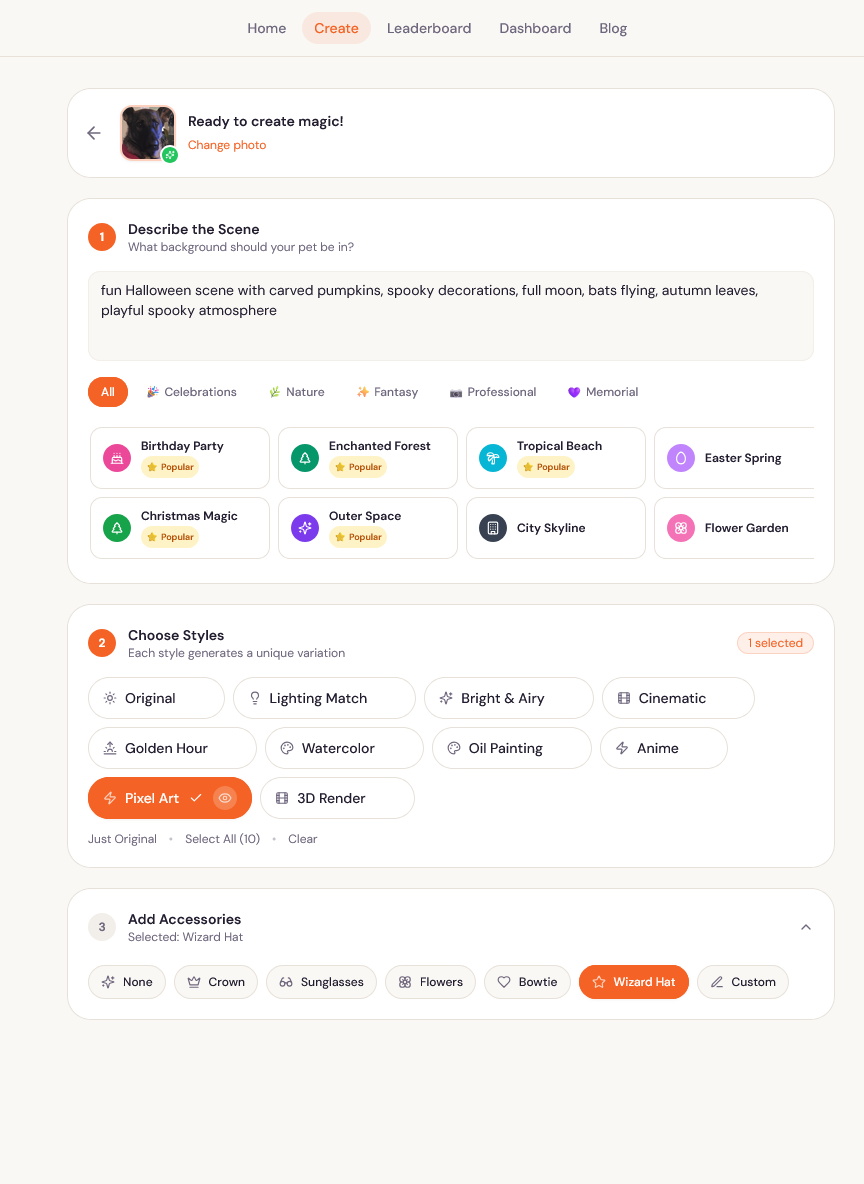
Fast Create: the controls on one page
Fast Create is handy when you’re trying the same pet photo in a few settings. You can go back and forth between the scene, style, accessory and generation options on one page.
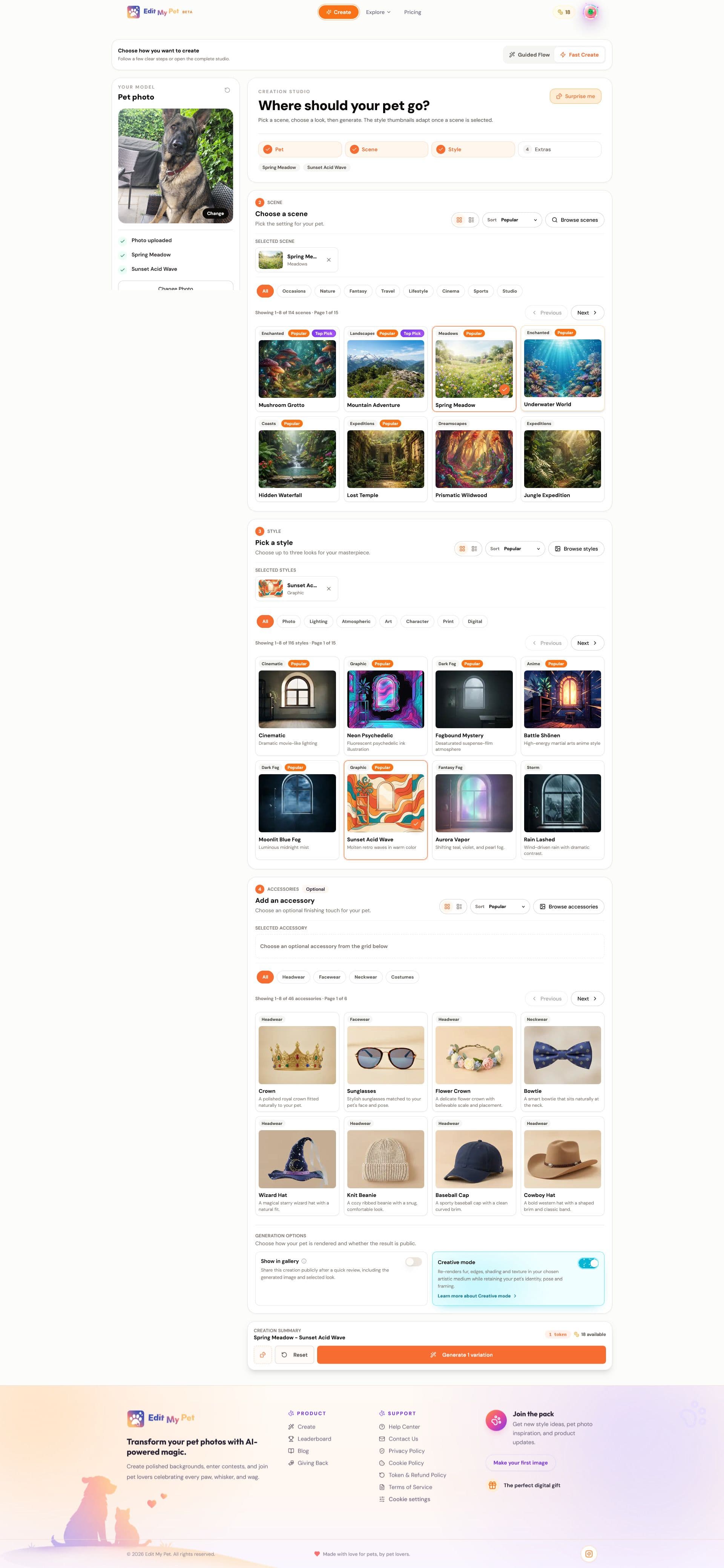
What returning users will notice
- Preview cards show the scene, style or accessory you’re picking. That helps when names alone are hard to tell apart.
- Category filters, search and sorting help you browse the catalogue.
- The confirmation summary brings the pet photo and selected creative choices together.
Both flows use the same creation tools. If you’re deciding between a photographic pet and a fully illustrated portrait, the Creative Mode examples show the two results from the same photo.
Try Guided Flow or browse the complete Fast Create studio.
Open Create