Turn your cat photo into a portrait
They already behave as if the whole house is their private gallery. Make it official with a cat portrait in watercolor, rich paint, cartoon colour or a scene made for that beautifully unimpressed stare.
From a quiet stare to a different world
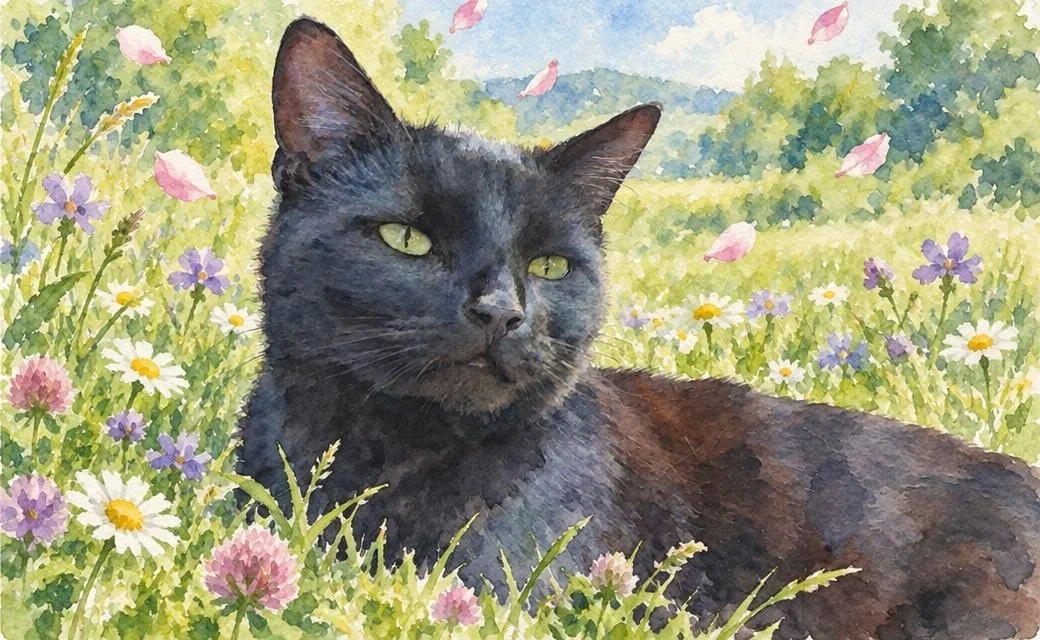
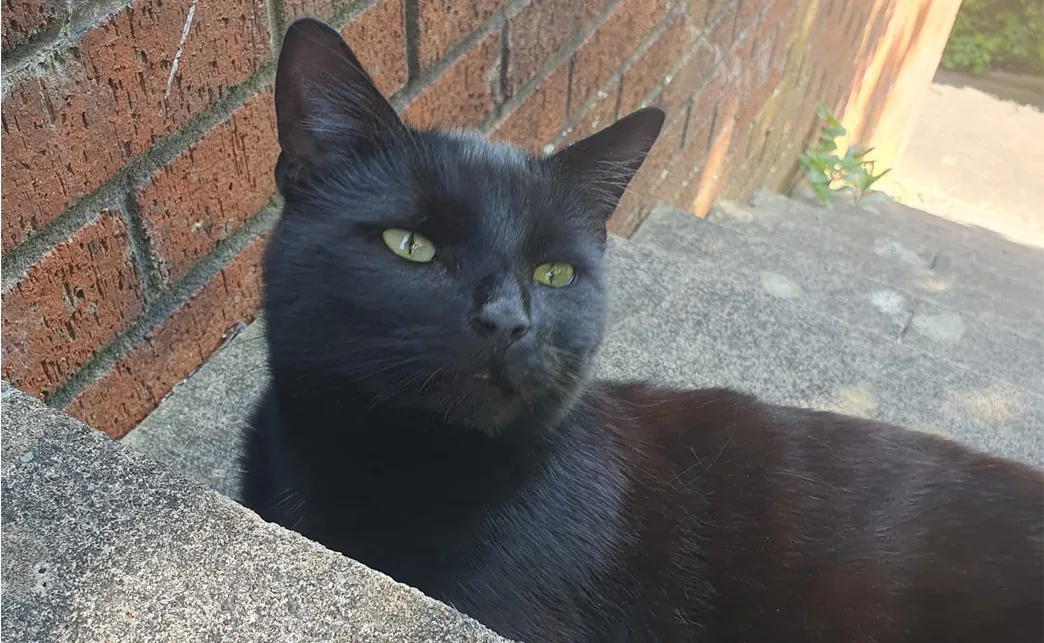
See how each cat photo becomes a new portrait. Compare the expression, outline and art treatment before trying a recipe with your own cat.


The garden's quietest visitor
Layered impasto, autumn leaves and a red bridge give Chunki's close portrait the depth of a traditional oil painting.
Creative choices
Creative Mode On
Japanese Garden
Koi ponds, maple leaves and calm morning mist

Oil Painting
Classic oil painting
Upload a new photo or choose one of your saved pets next.


By the storybook fire
Warm painted linework and a glowing cabin fireplace frame Chunk's wide eyes and upward gaze.
Creative choices
Creative Mode On
Fireplace Cabin
Fireplace glow, plaid blankets and rustic cabin warmth

Storybook
Whimsical illustrated scene
Upload a new photo or choose one of your saved pets next.


The moon temple gets a new resident
Blue glass, pearl highlights and dark leading reshape Chuck's upright pose inside a moonlit temple.
Creative choices
Creative Mode On
Moon Temple
Silver arches and reflecting pools beneath moonlight

Stained Glass
Luminous leaded-glass artwork
Upload a new photo or choose one of your saved pets next.


Chuck has found a spot by the koi pond.
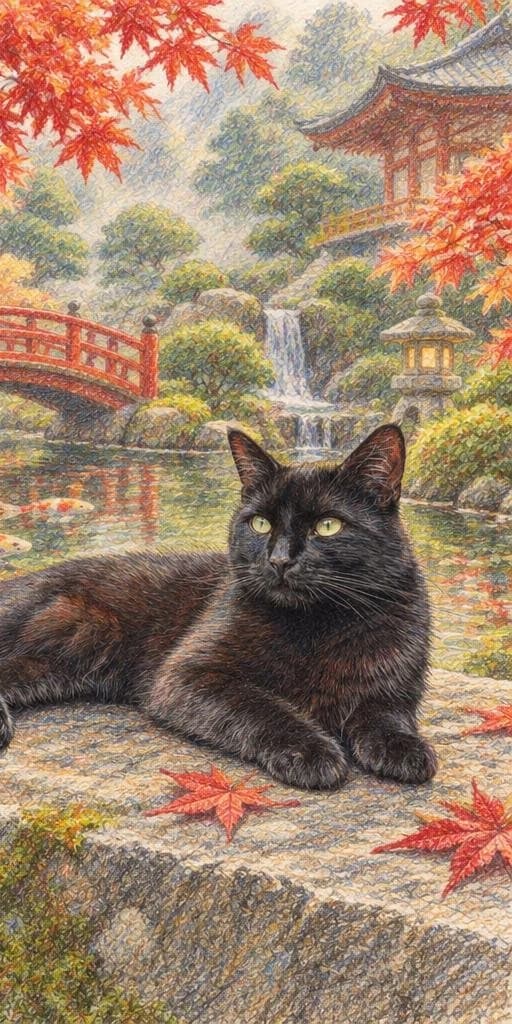
Coloured pencil gives the maple leaves and stone bridge their texture. Chuck looks quite prepared to stay all afternoon.
Creative choices
Creative Mode OnJapanese Garden
Koi ponds, maple leaves and calm morning mist

Colored Pencil
Detailed hand-drawn color
Upload a new photo or choose one of your saved pets next.
A new place for the familiar stare
Your lock screen has a new supervisor.
Chuck has claimed the garden and now the phone. This preview uses his coloured-pencil portrait as a wallpaper; your phone’s editor lets you move and crop your own cat’s image.
From your pet photo to their next portrait.
Upload, choose the look and review your finished image.
- 1Upload
Bring the cat attitude.
Upload a sharp cat photo with the eyes, ears and face markings visible.
UploadChoose a photo
JPG, PNG or WebP

- 2Create
Give it a new setting.
Choose a scene and style, then decide whether Creative Mode should transform the whole portrait.
Build their lookSceneStylesAccessory Cinematic
 Watercolour
 Storybook3 styles selected3 different images
- 3Download
Inspect the finest details.
Compare the eyes, muzzle and coat with your source, then save the digital portrait.
Your images
Ready to download
Download
A few useful answers
Before you create
A few practical details about photos, styles and your finished image.
See how it worksHow do I turn my cat photo into a portrait?
Upload your cat photo, choose a scene and select a style. You can carry an example's choices into Create or build your own combination. Creative Mode On transforms the cat and scene into the selected medium.
What makes a useful cat photo?
Choose a sharp image with visible eyes, ear tips and whisker pads. Soft window light can make indoor photos clearer. Avoid flash reflections in the eyes and deep shadows that hide the shape of dark fur.
Does it work with black cats or patterned coats?
You can use a clear photo of a black, white or patterned cat. The source needs to show the details you care about. Review the result carefully because strong styles may simplify tabby stripes, calico patches, whiskers or eye colour.
Can my cat stay photographic in the new scene?
Yes. With Creative Mode Off, source-visible pet regions remain photographic while the replacement environment and added accessory take the chosen treatment.
Can I make a cat profile picture?
Yes. Choose a clear face and a scene that stays readable when small. You can crop the downloaded image in your profile editor.
Can I try EditMyPet for free?
You can receive 3 free creation tokens after opting into the EditMyPet newsletter and confirming your email. Use the same email for your account. One starter bonus per person. You can also buy tokens without joining the newsletter. The creation cost is shown before you generate.
What do I receive after creating a portrait?
You receive a digital image to download. The available resolution and token cost are shown in Create. Free-account downloads include an EditMyPet watermark; downloads become watermark-free after your first paid order. Physical printing and card layouts are separate steps.

Their next favourite place could be a portrait
Take a cat photo into a painted garden, a playful character scene or a quiet new setting. Their expression gets the starring role.