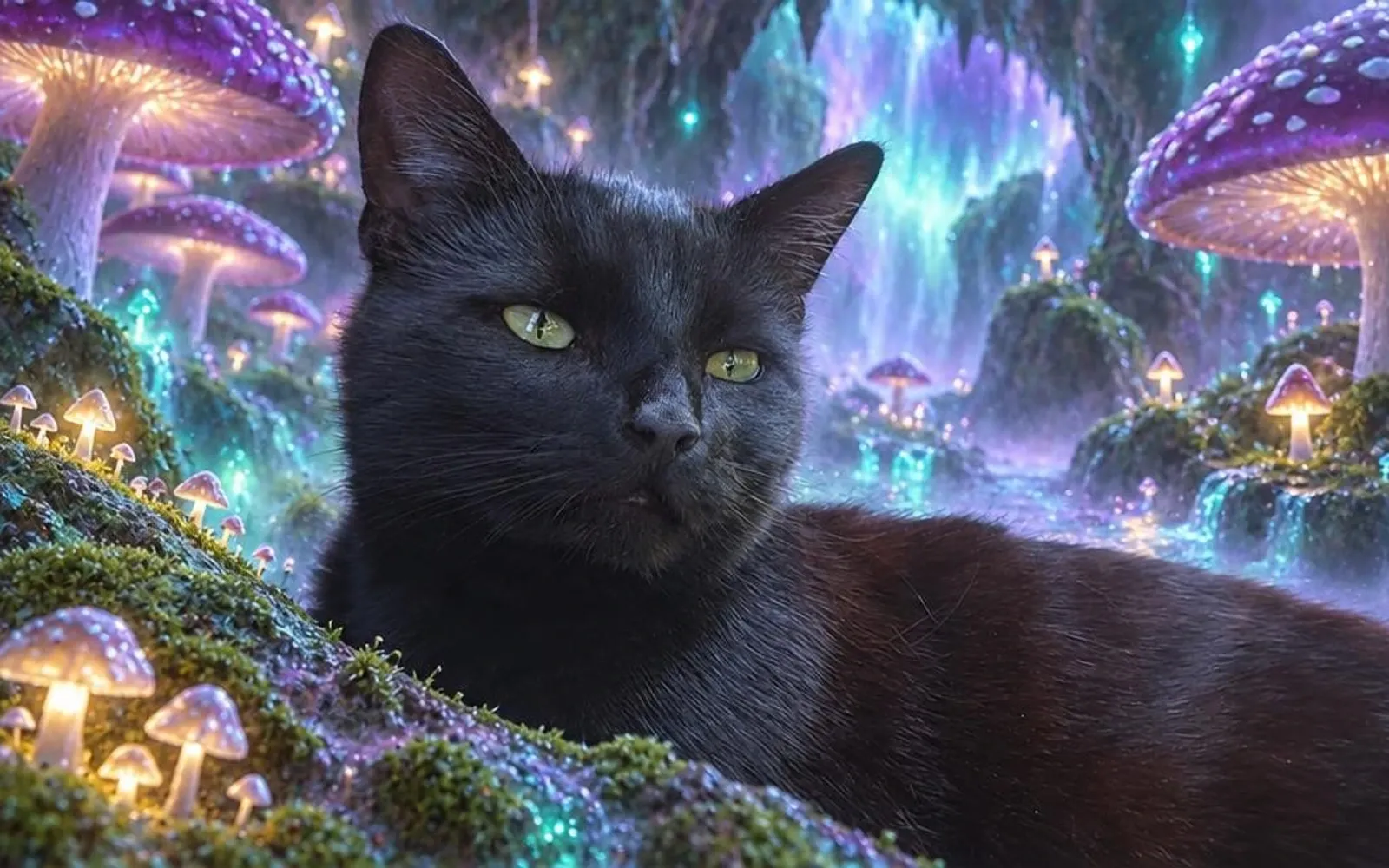
For pet photo edits, gift artwork and social avatars, EditMyPet lets you choose the scene and art style separately while keeping your pet at the heart of the portrait. Pawcaso Studio suits canvas shoppers, Fotor combines pet art with everyday editing, PawToAI builds a custom pet model and DreamPets offers themed mobile portraits.
Compare these five tools by what you want to make, how you create it and what you pay. Then explore real EditMyPet portraits with interactive before-and-afters, from a soft watercolor keepsake to a bold Pop Art avatar.
About this comparison: EditMyPet publishes this guide. Competitor information comes from official product pages reviewed on 3 October 2026. All before-and-after examples were made in EditMyPet. The shortlist compares published features and offers; the illustrated results demonstrate our own app.
Which AI pet portrait generator should you choose?
Four of these tools focus on pets; Fotor is a broader image editor with a dedicated pet-portrait workflow. Both approaches belong here because owners may want a guided pet studio, a ready-made theme or an editor they can use for other projects too.
AI pet portrait generators: feature comparison
Swipe to compare all 5 tools →
| Feature | EditMyPet | Pawcaso | Fotor | PawToAI | DreamPets |
|---|---|---|---|---|---|
| Use your pet photo | Documented feature | Documented feature | Documented feature | Documented feature15-photo model | Documented feature |
| Art styles | 180+styles | 30+styles | Prompt-led | 20+presets | 300+app styles |
| Scene choices | 180+scenes | Photo themes | Prompts | Custom prompts | App studio |
| Scene + look selection | Documented featureIndependent | Alternative workflowThemes / styles | Alternative workflowVia prompts | Alternative workflowVia prompts | Documented featureApp studio |
| Photo / art switch | Documented featureCreative Mode | Not listed on reviewed pages | Not listed on reviewed pages | Not listed on reviewed pages | Not listed on reviewed pages |
| Saved pet / model | Documented featureSaved pets | Not listed on reviewed pages | Not listed on reviewed pages | Documented featureTrained model | Not listed on reviewed pages |
| Paid starting point | $4.9915 tokens | $19.99Photo-shoot offer | Tool / planpricing | $12Model + 50 | Appsubscription |
| Useful for | Photo editsGifts + avatars | Portraits +canvas gifts | Pet art +image editing | Portraitcollections | Mobile art +app studio |
Based on official product pages. Reviewed 3 October 2026.
EditMyPet lets you choose the scene and style independently, then decide whether your pet stays photographic or becomes part of the art style. Its 180+ styles and 180+ scenes give you separate visual choices, with up to three styles per request and 55 optional accessories. Explore the style collection and scene library for ideas.
How we compared these pet portrait generators
We checked official features, photo requirements, trial conditions, paid offers and delivery formats on 3 October 2026. EditMyPet’s live catalogue contains 182 styles and 183 scenes. Starting prices describe different purchases: a token pack, a canvas or a trained-model package. The trial table below distinguishes an own-pet offer from a demo or preview.
Our five before-and-afters document the source photo, scene, style and Creative Mode used. Eve’s three portraits change only the style; Chunki’s two change only Creative Mode. These are first-hand examples of EditMyPet, while competitor descriptions are based on published information. We have not scored competitors’ image quality or run a shared-pet output test across this shortlist.
AI pet portrait pricing: free access, packs and subscriptions
A free preview, an own-pet generation and a demo-model portrait are different offers. This table separates them so you can compare what the trial actually lets you create before choosing digital artwork, a portrait collection or a canvas.
Free access, paid options and delivery
Swipe to see creative approaches and prices →
| Tool | Free access with your pet | Paid option | Delivery |
|---|---|---|---|
| EditMyPet | 3 tokens through the optional newsletter bonus; conditions below | Token packs from $4.99 for 15 tokens; optional Pet Club | Digital downloads |
| Pawcaso Studio | Portrait preview | Photo-shoot offer: $19.99; canvas from $59 | Digital downloads + canvas ordering |
| Fotor | Limited credits for new users | Paid access depends on the selected tool and plan | Digital downloads |
| PawToAI | Demo pets only: 3 portraits; own-pet model is paid | Standard: $12 for a pet model + 50 portraits | Digital portrait collection |
| DreamPets | Website advertises a free try | Auto-renewing app subscription; store pricing applies | App portraits; saving depends on plan |
Offers reviewed on 3 October 2026. Dollar amounts are listed in USD. Canvas prices and portrait-model packages include different deliverables from a digital token pack. Current checkout and app-store offers determine the final price and included features.
In EditMyPet, each selected style costs one token at standard 1K or two tokens at 2K. A three-style request therefore uses three or six tokens. Purchased creation tokens remain available until used, and buying a token pack permanently removes watermarks. Pet Club tokens are a monthly allowance that expires at the end of the billing cycle. Read the token policy for current terms.
How many pet portraits can you make with 15 tokens?
At standard 1K, a 15-token pack covers 15 portraits, or five requests with three style variations each. At $4.99, that is about $0.33 per standard portrait. At 2K, each portrait uses two tokens, so the same pack covers seven portraits with one token remaining. Choose the resolution and number of styles before creating.
The optional newsletter bonus gives three free tokens after marketing opt-in and confirmation through the newsletter email, with an EditMyPet account using the same email address. Follow that newsletter confirmation process to receive the bonus.
The best AI pet portrait tools for different ideas
1. EditMyPet: create a portrait with personality
Put your dog in a flower-filled meadow, turn your cat into a plush character or create a portrait in rich painted colour. EditMyPet lets you choose the world and the art style separately, so you can build a combination around your pet and the occasion. Explore the pet portrait style collection for painting, illustration, cartoon, graphic and photographic ideas.
What makes it useful: your pet’s face, markings and personality guide the portrait while you choose a new setting and visual treatment. Creative Mode Off keeps the pet photographic; On interprets the pet in the selected art style. Compare up to three styles around the same scene, and reuse a saved pet for the next idea. The choices beneath our examples open their scene and style in the generator.
Try and buy: the optional newsletter bonus provides three tokens after email confirmation and account matching. Packs start at $4.99 for 15 tokens, with optional Pet Club for regular creators. Standard 1K portraits cost one token each; 2K portraits cost two. Download your favourites as digital artwork for photo edits, social avatars, digital greeting cards and personal keepsakes.
2. Pawcaso Studio: a portrait and canvas in the same place
Pawcaso Studio pairs pet art with canvas ordering. Its official site lists 30+ styles, a free preview and digital downloads, with canvas prints advertised from $59. Its photo-shoot page lists a limited-time $19.99 offer. It suits shoppers who want a portrait collection or a physical gift through the same service. Explore Pawcaso’s portrait and canvas options for the current checkout offer.
How you create: choose a portrait style or photo theme, preview the result, then select digital artwork or a canvas. The choice centres on the finished portrait and delivery format, making it useful when a physical gift is the goal.
3. Fotor: pet art within a complete image editor
Fotor combines a photo-and-prompt pet portrait workflow with a broader set of editing tools. You can describe painting, cartoon and other looks, then use the platform for additional image work. Its official pet page offers limited credits for new users and browser and mobile access. It suits people who want pet art as part of a wider editing toolkit. See Fotor’s pet portrait generator.
How you create: upload a pet picture and describe the result in a prompt. This suits owners who like writing their own brief and want cropping, enhancement or design tools alongside generation. Paid access and credits depend on the chosen tool and plan; check that offer before comparing its cost with a portrait pack.
4. PawToAI: a custom model for an ongoing portrait collection
PawToAI trains a pet model from 15 varied photos, then lets you create with 20+ presets or custom prompts. Its Standard package is listed at $12 for a model and 50 portraits; the free option provides three portraits using demo models. This approach suits owners with a photo collection who want to create repeatedly from a trained model. See PawToAI’s workflow and pricing.
How you create: prepare the 15-photo collection, train the model and use it for subsequent portraits. The setup is a different commitment from an upload-and-edit session. Its free demo illustrates the workflow with a demo pet; the paid package is the route to your own pet model.
5. DreamPets: themed portraits and a mobile creative studio
DreamPets offers themed portraits on the web, with some styles marked for app use. Its official Android listing advertises 300+ styles, outfit and scene combinations, and custom text prompts. It suits owners who want ready-made themes or a broader mobile studio. Browse DreamPets’ gallery for the website choices.
How you create: upload a pet photo and choose a web style, or use the app’s studio to explore scenes, outfits and prompts. The website advertises a free try, and the Android listing describes an auto-renewing subscription. Current store pricing and the in-app offer determine paid access and saving options.
Real AI pet portraits: explore the before-and-afters
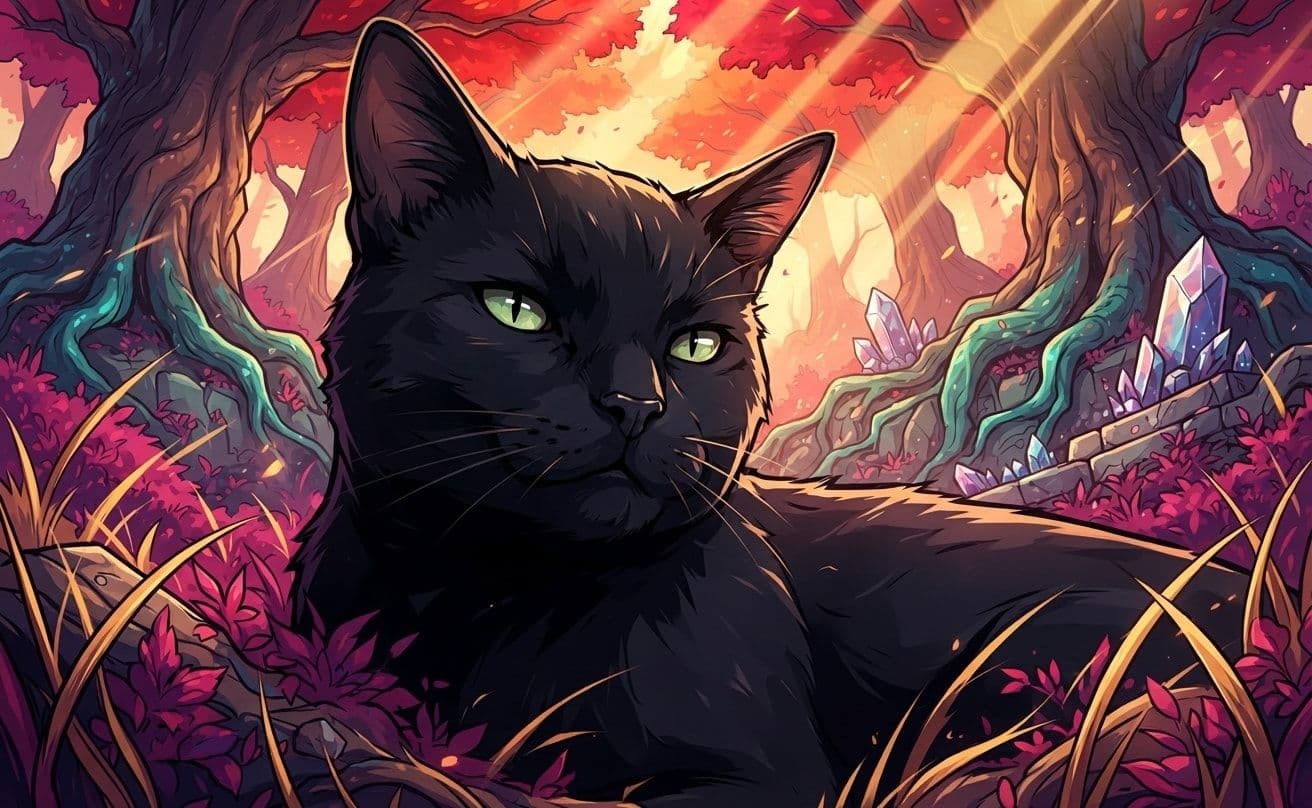
These five portraits were created in EditMyPet. Eve’s three meadow portraits use the same source photo, Spring Meadow scene, Creative Mode On and no accessory, with a different style for each result. Chunki’s two portraits show Creative Mode Off and On with the same photo, scene and style. Slide across each image to explore the transformation, then use its choices to create your own.
Watercolor: a soft, personal keepsake
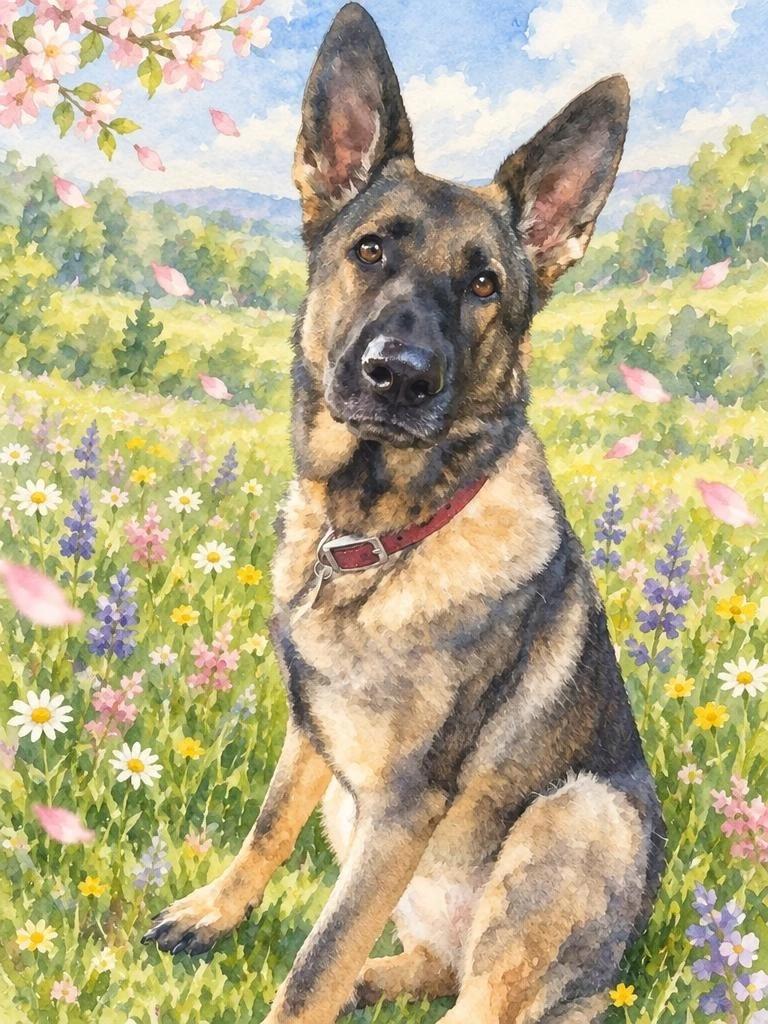
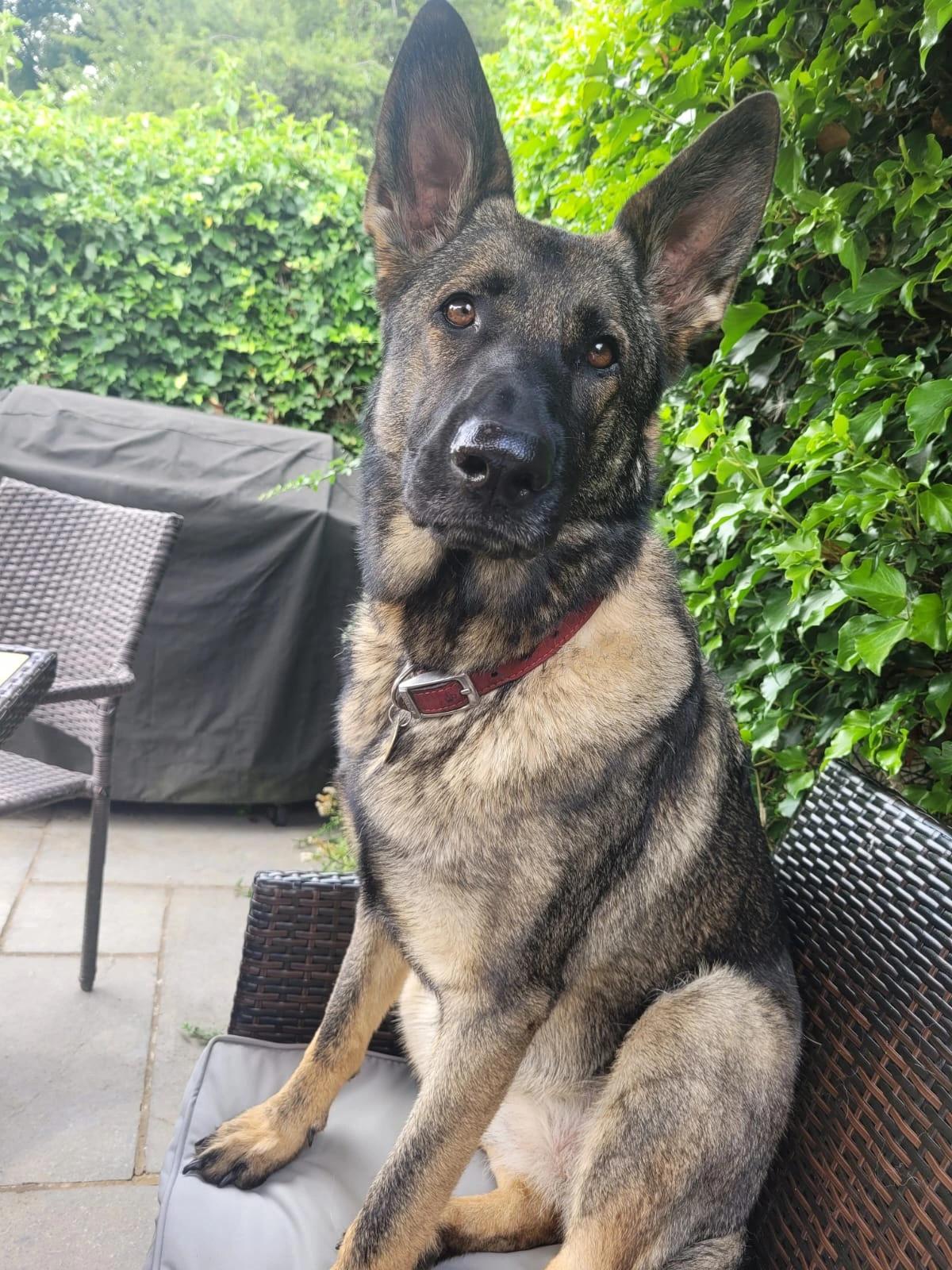
Creative choices
Creative Mode On
Spring Meadow
Wildflowers and drifting petals in gentle spring sunshine

Watercolor
Soft artistic watercolor
Upload a new photo or choose one of your saved pets next.
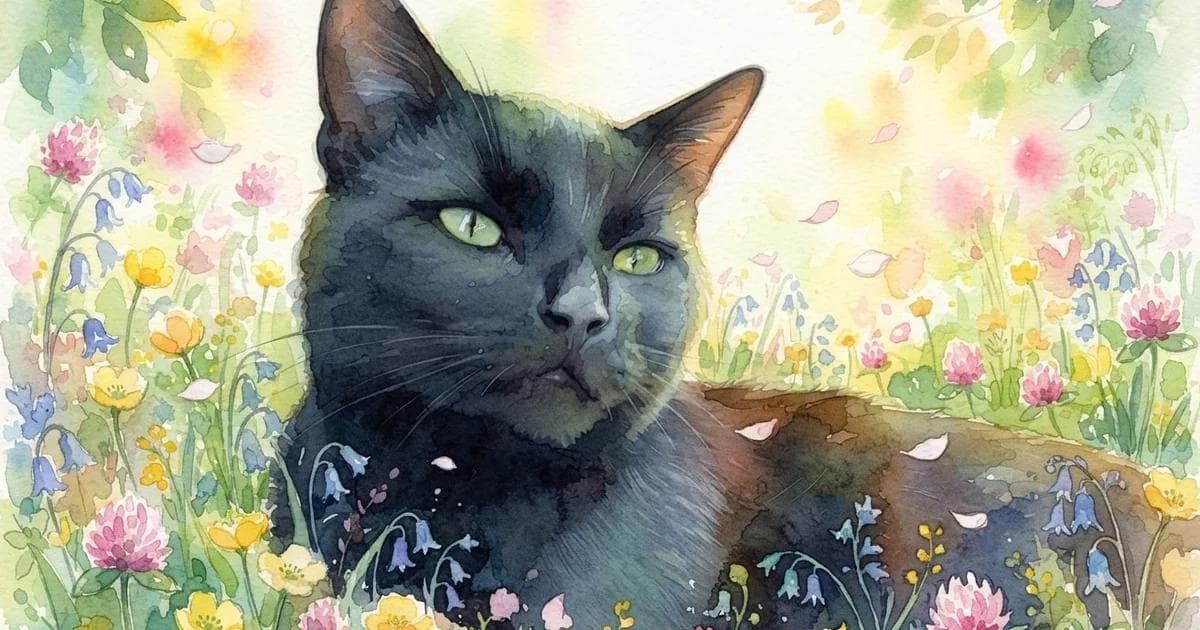
Soft washes, meadow flowers and a gentle palette give Eve’s portrait the feel of an illustrated keepsake. Her head tilt gives the artwork its character, while the garden setting becomes a springtime scene. Explore watercolor pet portraits for a softer direction for a gift, card or personal collection.
Oil painting: rich colour and a classic portrait feel
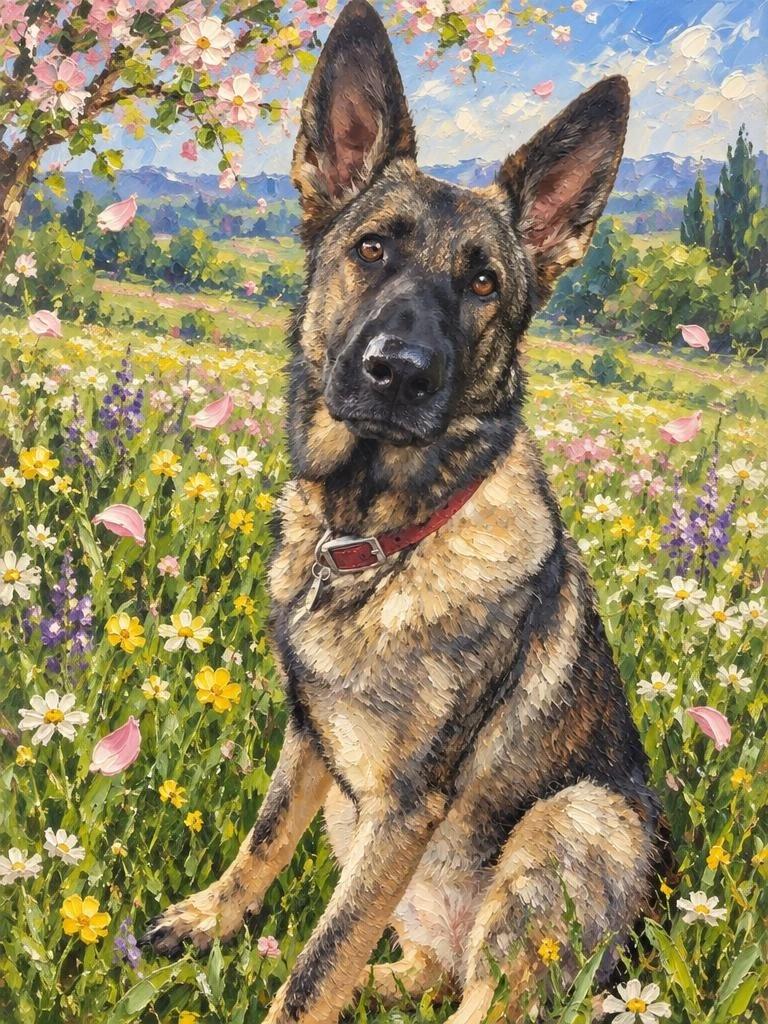
Creative choices
Creative Mode OnSpring Meadow
Wildflowers and drifting petals in gentle spring sunshine

Oil Painting
Classic oil painting
Upload a new photo or choose one of your saved pets next.
Oil Painting brings deeper colour and a painted surface to the same meadow idea. It gives the portrait a more traditional art feel, with Eve taking centre stage among the flowers. Explore oil painting pet portraits when you want a classic direction for your pet’s artwork.
Pop Art: let your pet steal the spotlight
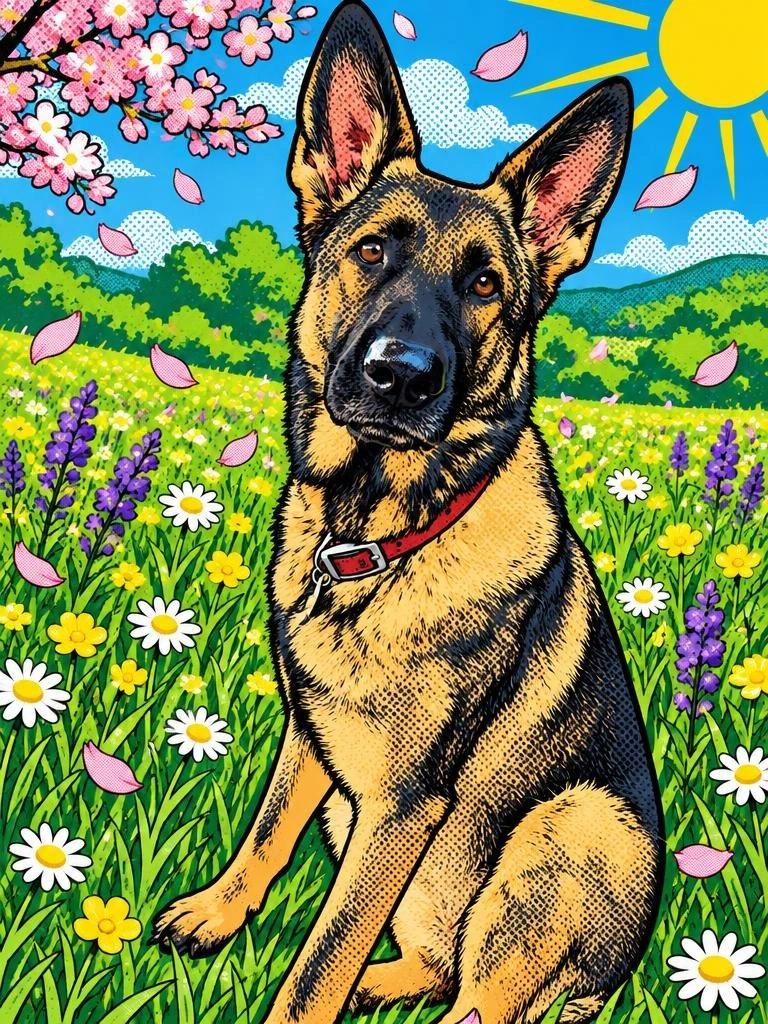
Creative choices
Creative Mode OnSpring Meadow
Wildflowers and drifting petals in gentle spring sunshine

Pop Art
Bright graphic pop art
Upload a new photo or choose one of your saved pets next.
Bright colour, graphic shapes and halftone texture turn Eve into the star of a playful Pop Art portrait. This is a bold direction for a profile picture, digital card or colourful keepsake. Explore Pop Art pet portraits for artwork with more colour and attitude.
Creative Mode: a new setting or a whole new character
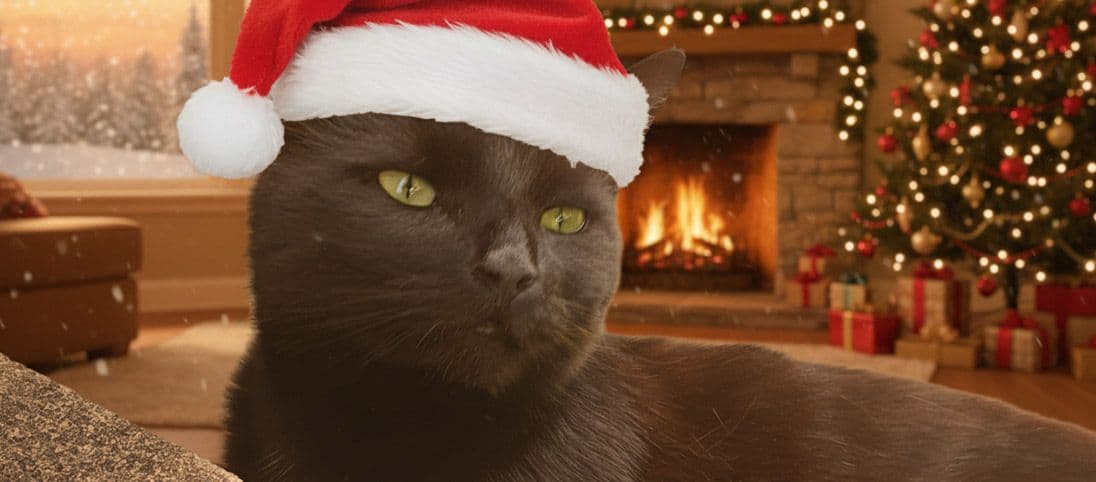
Chunki’s two portraits use Blanket Fort, Plush Toy and no accessory. With Creative Mode Off, the photographic cat sits inside a cosy new world. With Creative Mode On, Chunki becomes part of the art style, complete with a soft plush appearance. The same creative idea gives you two distinct directions.
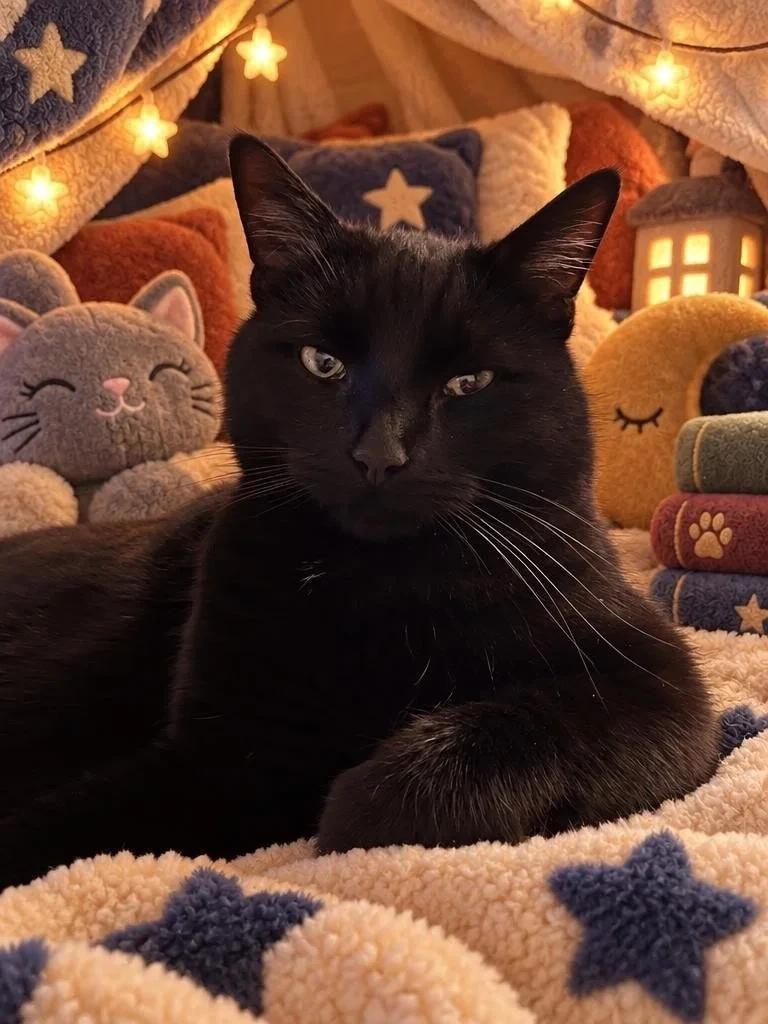
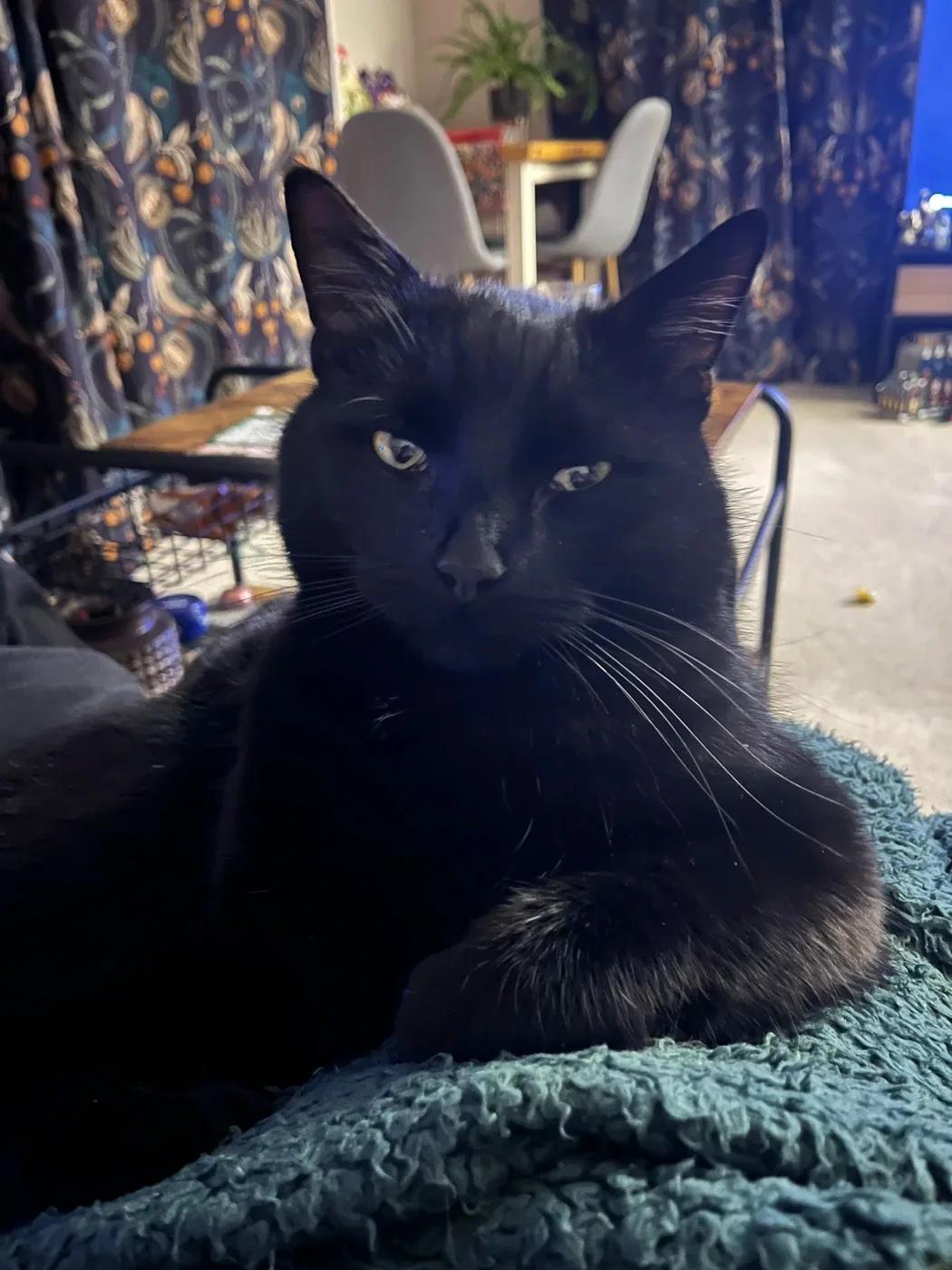
Creative choices
Creative Mode Off
Blanket Fort
Fairy lights, soft pillows and cosy hideaway fun

Plush Toy
Soft stuffed toy look
Upload a new photo or choose one of your saved pets next.
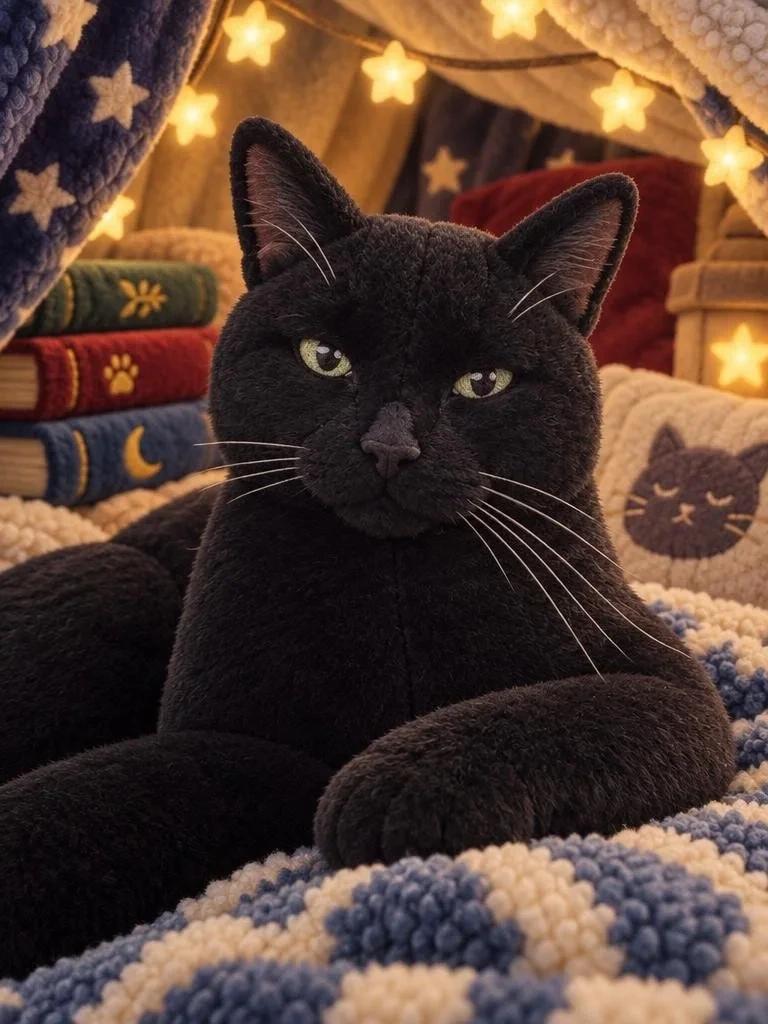
Creative choices
Creative Mode OnBlanket Fort
Fairy lights, soft pillows and cosy hideaway fun
Plush Toy
Soft stuffed toy look
Upload a new photo or choose one of your saved pets next.
Choose Creative Mode Off for a photographic pet in fresh surroundings, or turn it On for painted, illustrated and character transformations. Explore the Creative Mode guide for more combinations, or browse cartoon pet portraits for more character ideas.
What size and format are EditMyPet downloads?
EditMyPet offers standard 1K and higher-detail 2K generation. The image follows your photo’s proportions, rounded to supported pixel dimensions. For common square, portrait and landscape photos, these are the output sizes:
EditMyPet output dimensions for common photo shapes
Swipe to compare all 2 tools →
| Photo shape | Standard 1K | Higher-detail 2K |
|---|---|---|
| Square · 1:1 | 1024 × 1024 pixels | 2048 × 2048 pixels |
| Portrait · 3:4 | 768 × 1024 pixels | 1536 × 2048 pixels |
| Landscape · 4:3 | 1024 × 768 pixels | 2048 × 1536 pixels |
Other photo shapes use different dimensions. Supported ratios run from 1:3 to 3:1; narrow 1K images can have a longer edge above 1024 pixels to meet the generation size requirement. The Watercolor, Oil Painting and Pop Art examples in this article were generated at 768 × 1024 pixels.
Current generated files use JPEG for most styles and PNG for the pixel-art styles. Watermarked downloads are exported as PNG. The 2K option creates a higher-resolution result during generation; choose it before creating. The resized blog images are display copies, so use your account download when preparing your own artwork.
How to create your pet portrait in EditMyPet
- Bring your favourite pet photo into the studio, or choose a pet you have already saved.
- Choose a scene and select up to three styles to explore. Add an accessory to complete your idea.
- Choose Creative Mode Off for a photographic pet in a new setting, or On for an artistic character transformation.
- Create your portraits, pick your favourite and download it for sharing or a personal keepsake.
A well-lit photo gives your pet centre stage. Our pet portrait photo guide has simple lighting and framing ideas. For a gentle illustrated gift, explore Watercolor. For a colourful profile picture, try Pop Art. For a photographic look in new surroundings, explore the pet photo background changer.
Your portraits, saved in your account
EditMyPet stores your generated results in your account, uses private storage for owner-only media and makes public sharing optional. You decide which portraits to share. The privacy policy explains photo storage, temporary generation files and AI processing.
Choose a scene and style, then create a portrait of your pet.
Create your pet portraitFrequently Asked Questions
What is the best AI pet portrait generator in 2026?
EditMyPet suits pet photo edits, gift artwork and social avatars with separate scene and style choices. Pawcaso Studio combines portraits and canvas ordering, Fotor offers broader image editing, PawToAI trains a custom pet model and DreamPets provides themed mobile portraits. This guide compares their published features and offers, with real examples from EditMyPet.
Can I try an AI pet portrait generator for free?
Yes, several tools offer previews, limited credits or demo generations. EditMyPet’s optional newsletter bonus provides three tokens after marketing opt-in and newsletter email confirmation, with an account using the same email. Pawcaso offers a preview, Fotor limited credits and PawToAI three portraits using demo models.
Can I choose the scene and art style separately?
Yes. EditMyPet offers separate visual choices for 180+ scenes and 180+ art styles, plus 55 optional accessories. Explore up to three styles around the same scene in a request. Creative Mode lets you keep your pet photographic or render them in the selected style. Fotor and PawToAI support prompts; DreamPets advertises scene and outfit combinations in its app.
What is the difference between Creative Mode On and Off?
Creative Mode Off is designed to keep your pet photographic while changing the setting and adding a selected accessory. Creative Mode On transforms the pet and scene into the chosen art style, including painting, cartoon and plush character looks. Choose Off for a photographic portrait or On for a full artistic transformation.
How does EditMyPet keep my pet recognisable?
EditMyPet uses your pet photo as the reference for their face, proportions, fur colours and markings while changing the setting and visual style. Creative Mode Off keeps the pet photographic; On interprets those familiar features in the chosen art style. Eve’s and Chunki’s before-and-afters show both approaches using the same original photos.
Which art style should I choose for a pet portrait?
Choose Watercolor for a soft illustrated keepsake, Oil Painting for rich colour and a traditional portrait feel, or Pop Art for a bright graphic look. Cartoon and Plush Toy styles suit playful character ideas. EditMyPet lets you explore up to three styles per request around your selected scene.
What resolution can I download from EditMyPet?
Choose standard 1K or higher-detail 2K before creating. A square portrait is 1024 × 1024 pixels at 1K or 2048 × 2048 at 2K; a 3:4 portrait is 768 × 1024 or 1536 × 2048. Other shapes use supported dimensions matched to the photo. Each style costs one token at 1K or two at 2K.
Do I need a subscription for EditMyPet?
No. EditMyPet offers one-time creation-token packs as well as optional Pet Club subscriptions. Token packs begin at $4.99 for 15 tokens. Standard 1K results use one token each; 2K results use two. Purchased creation tokens remain available until used. Pet Club provides a monthly allowance that expires at the end of its billing cycle.
Can I make an AI pet portrait as a gift?
Yes. Create a digital keepsake or a personal birthday greeting featuring their pet. Watercolor and Oil Painting offer softer or more traditional gift directions, while Pop Art and cartoon styles suit playful ideas. Choose the recipient’s favourite pet photo, create the portrait and send them the downloaded artwork.
Are my EditMyPet portraits shared publicly?
Public sharing is optional. EditMyPet stores generated results in your account and uses private storage for owner-only media. You can download your favourites and choose what to share. The privacy policy explains storage, temporary generation files and the AI processing used to create your portraits.
Related Articles